๐Ÿ“‹ GRC compliance for CMMC 2.0, CPCSC, CPA Canada, IIROCโ€ฆSaaS discovery for data governanceFree enriched web chat widget๐Ÿš€ Enriched remote support without your laptop

Help a user remotely and record it in a ticket

A task guide: the pages to use, in order.
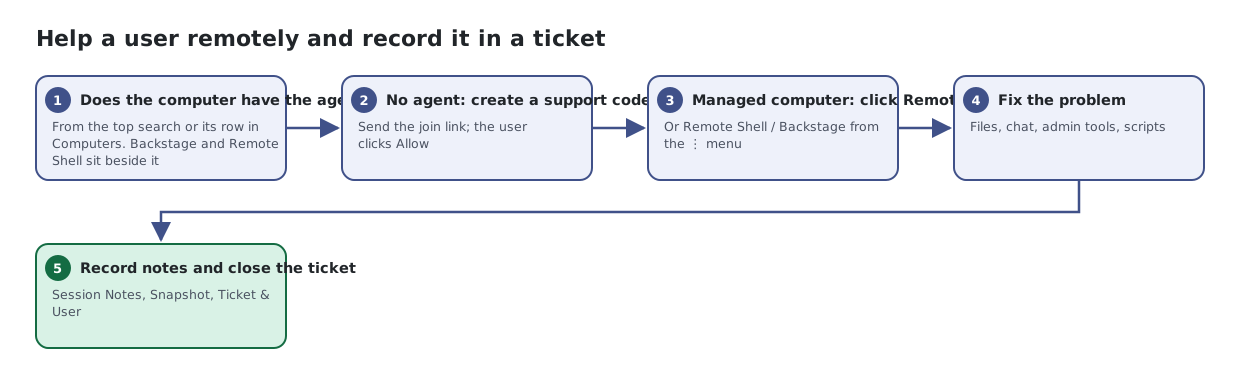
Five steps: decide whether the computer has the Lavawall agent; if not, create an ad-hoc support code; connect from Computers or the code; fix the problem in Remote Support; then record notes and close the ticket.
The same steps are listed below, with links to each page's article.

Steps

  1. Does the computer have the agent?. From the top search or its row in Computers. Backstage and Remote Shell sit beside it
  2. No agent: create a support code. Send the join link; the user clicks Allow
  3. Managed computer: click Remote Desktop. Or Remote Shell / Backstage from the โ‹ฎ menu
  4. Fix the problem. Files, chat, admin tools, scripts
  5. Record notes and close the ticket. Session Notes, Snapshot, Ticket & User

Articles for the pages in this guide

← All task guides