Remote monitoring and management
An RMM that leads with security.
Lavawall® is a multi-tenant RMM and remote support platform for MSPs and IT teams, with patching, security monitoring, Microsoft 365 and Google Workspace breach detection, and compliance built into the same agent and console. See, patch, monitor, and fix your Windows, macOS, and Linux endpoints from one console. It is built and run by ThreeShield, a Calgary audit firm, so the security controls an assessor asks for are on by default.
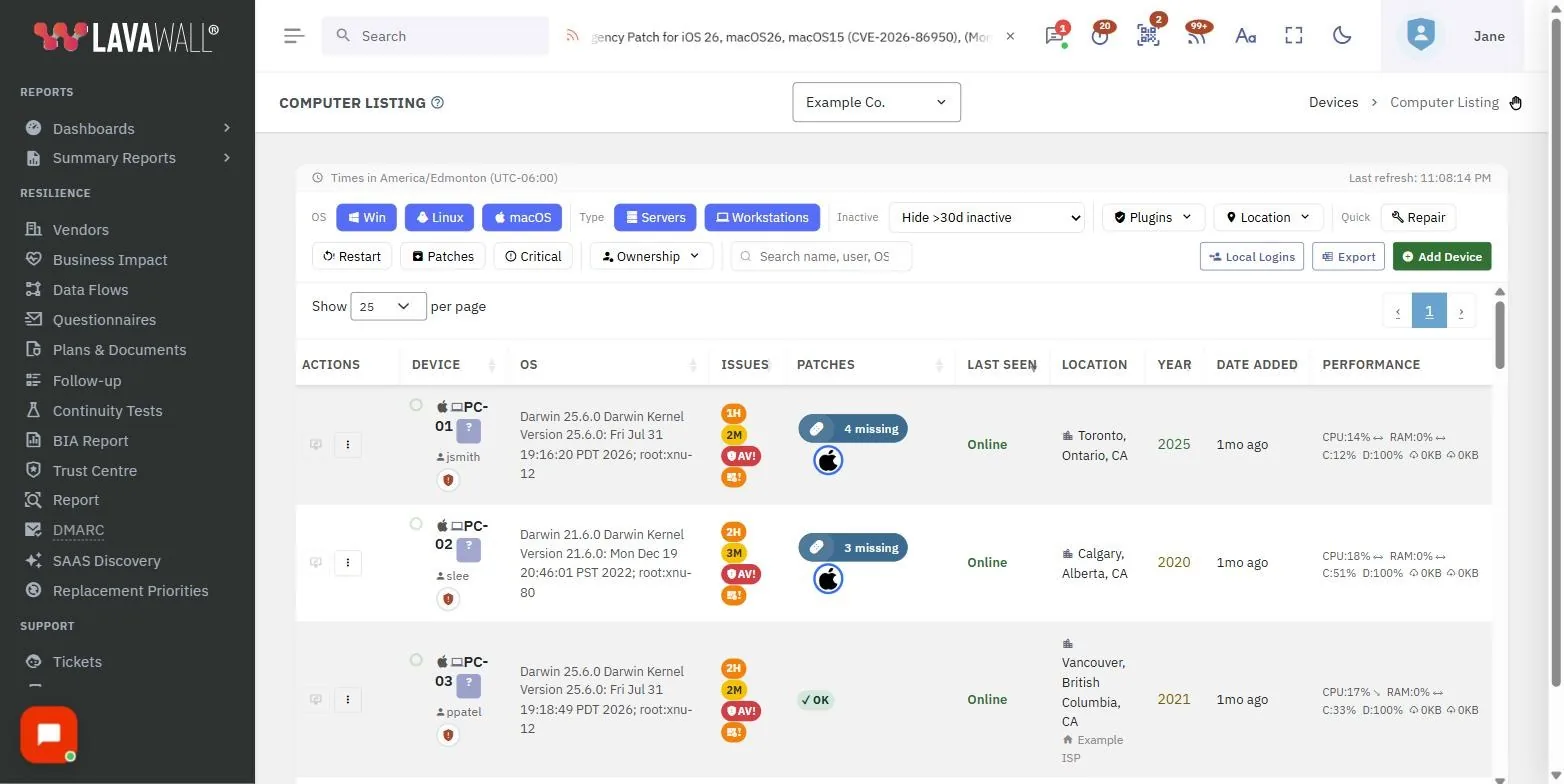
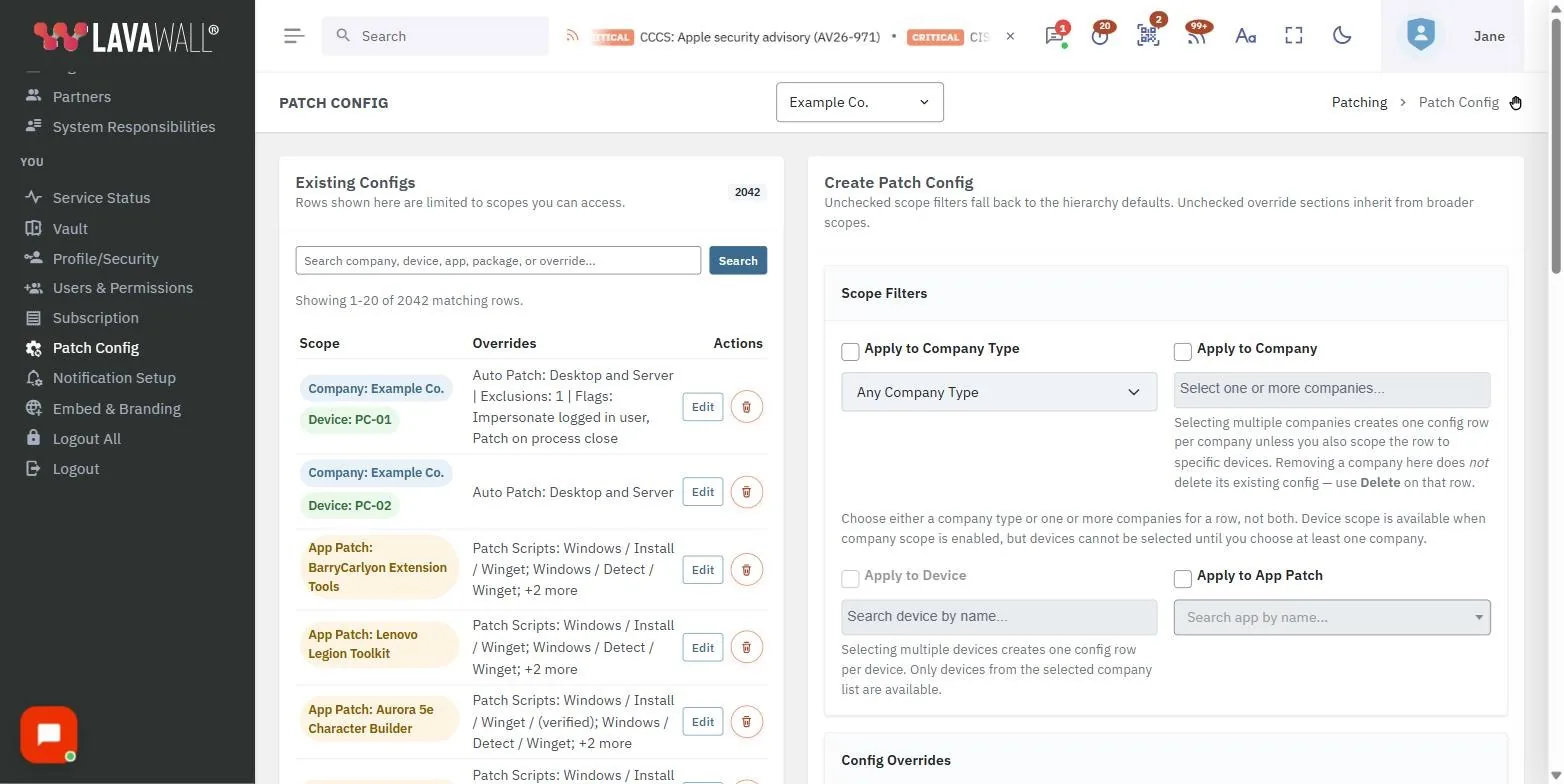
See it in the Lavawall® console
Real screens, shown with example data.
What an RMM is for, and where most fall short
An RMM exists to do five things: see every device, patch it, watch it, fix it, and prove all of that happened. Most tools do the first four adequately and treat security and compliance as a separate purchase, so the evidence an auditor wants lives in yet another console. Lavawall was built by people who sit on the auditor’s side of the table, so patching, monitoring, remote support, and the compliance record run together.
GRC and RMM are tightly integrated, and each can be used on its own. Start with the RMM, and when an assessment, an insurance renewal, or a client security questionnaire comes up, the evidence the RMM has been collecting is already there, dated and ready for the auditor.
You can run Lavawall as your RMM from day one, or install it through the one you have, use the Lavawall features you need first, and move over at your own pace. The Datto RMM component and the install scripts for other RMMs take minutes, and Datto RMM scripts can be imported with their variables detected automatically. RMM augmentation covers that path, and what RMM augmentation means explains the approach.
The modules, in one console
Each is a page of its own. Together they are the platform.
Remote support and Windows administration
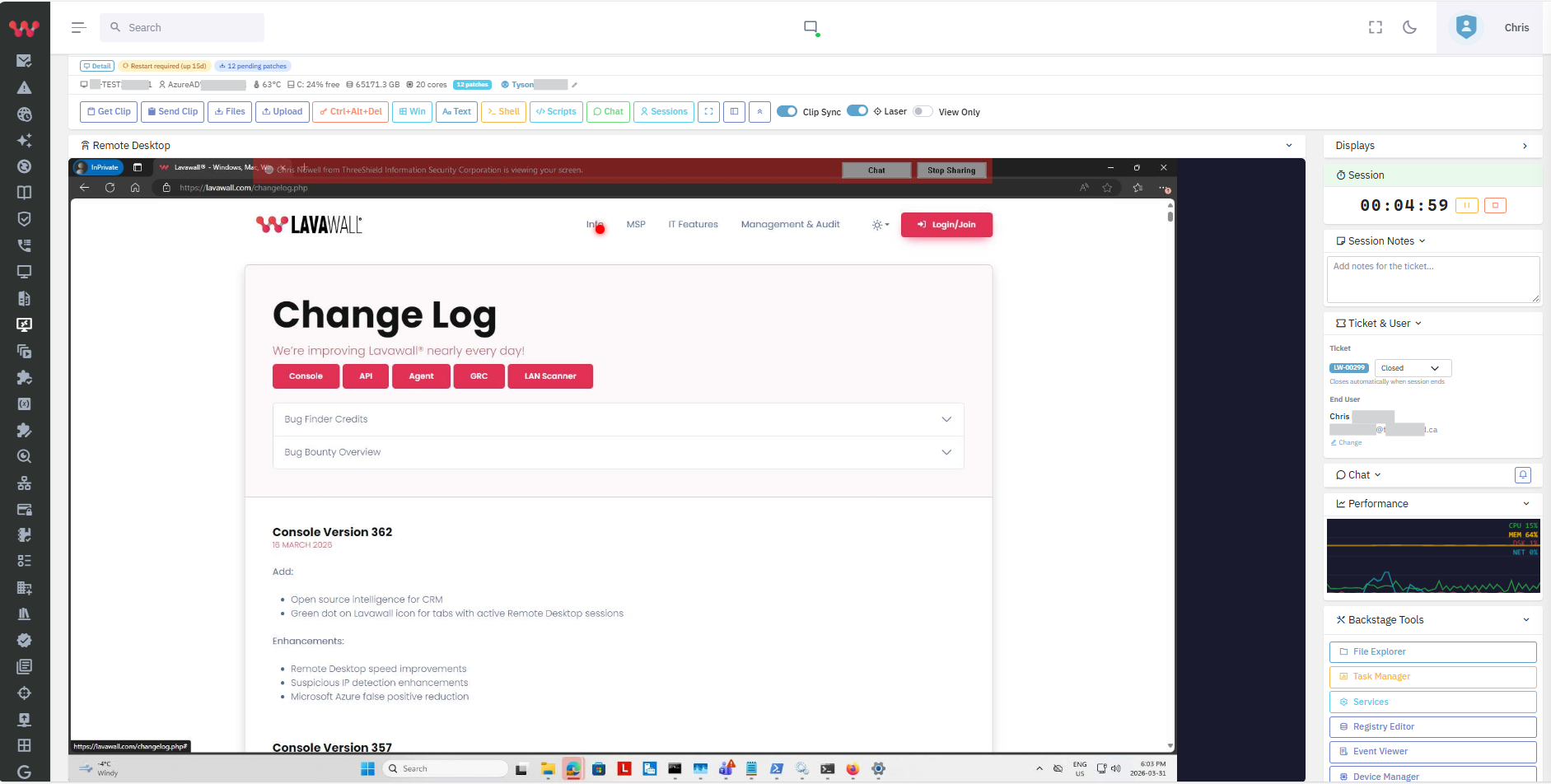
A real administration cockpit in the browser, in place of a bolted-on screen-share. Summary below.
Patching, 7,400+ apps
Cross-platform patch management for Windows, macOS, and Linux, covering more than 7,400 applications, with software deployment and patch status kept as evidence.
Configuration vulnerabilities
Find the misconfigurations that scanners rate as findings, and fix them from the same console.
Device health and replacement
Battery, disk, memory, temperature, and reboot history, with a replacement priority so a slow machine is part of a plan instead of a surprise.
Scripting
Run and schedule scripts across the fleet, from a signed library, with the results kept.
Administrator elevation and execution prevention
On Windows, let people run what they need as administrator, without a standing local-admin account and without a separate elevation product, and block named high-risk tools.
LAN and WAN monitoring
Watch the network the endpoints depend on, and the links between sites.
Out-of-band and environmental
Temperature, water, power, and access sensors on a radio path that keeps alerting when the internet is down.
Unified MDR alerts
Bring the alerts from Sophos, Huntress, and Microsoft Defender into one queue instead of three consoles.
Microsoft 365 and Google Workspace
Breach detection for the cloud accounts behind the endpoints. Google Workspace too.
Akira Ransomware Hunter
Catch the staging that precedes an encryption event, days before the ransom note.
Access reviews
Certify who has access to what, on a schedule, with the record an auditor accepts.
The differentiator
Remote support that is a Windows cockpit, not a screen-share
Every RMM has a remote-control button. Lavawall gives a technician the real thing, in the browser, with nothing to install and without interrupting the person at the keyboard.
The centre of it is the Admin Workspace, a private workspace where the technician works with administrator rights while the user keeps working undisturbed: 19 Windows tools and three shells (PowerShell as system, PowerShell as the logged-in user, and Command Prompt as system) on Windows, and a root zsh shell on Mac. It extends the built-in Windows administration tools: a grouped Task Manager with live CPU, memory, disk, network, and thread figures, per-process detail down to the parent process and signature, and a file explorer you can run or download from. In any session, 50 Windows admin tools are each one click away with administrator rights, without pushing a UAC prompt to the user and without a separate elevation product. macOS asks the user to allow screen and audio access; our Mac setup guide shows what to click.
The user stays in control the whole time. A translucent, movable notice sits on their screen so they always know someone is connected, with one click to chat or to take their privacy back. Technicians get on-screen drawing, automatic cursor hand-off, file transfer with full attributes, plain-language restart reasons, tickets on the session screen, and near-instant full-colour PowerShell, even from a phone.
Every connection and every command sent is logged, screen captures can be attached to the ticket when the technician wants a record, country restriction is on by default and IP restrictions are available, and the remote desktop session is protected in transit by a FIPS 140-3 validated cryptographic module, NIST CMVP certificate #5247.
Built by an audit firm, so the security is the default
Lavawall is built and used by ThreeShield, a Calgary firm that does cybersecurity audits for a living. That shows up in the defaults: every remote connection and command is logged, country restrictions are on out of the box, the platform pushes admin tools without leaving standing local-admin rights behind, and the compliance evidence lands in the same console through the GRC module. For teams under a CJIS, HIPAA, PCI DSS, or NIST 800-171 obligation, the remote path carries a FIPS 140-3 validated module, and FIPS 140-3 support sets out exactly what is validated and what is not.
Frequently asked questions
- What platforms does the Lavawall RMM manage?
- Windows, macOS, and Linux endpoints from one console: patching, configuration checks, device health, and scripting across all three, and remote support on Windows and macOS, plus Microsoft 365 and Google Workspace monitoring for the accounts behind them.
- Is Lavawall a full RMM?
- Yes. Lavawall is a multi-tenant RMM and remote support platform for MSPs and IT teams, with patching, security monitoring, Microsoft 365 and Google Workspace breach detection, and compliance built into the same agent and console. You can run it as your RMM from day one, or install it through your current RMM and run both side by side while you move over. See RMM augmentation for that path.
- How is Lavawall’s remote support different from the remote control in a typical RMM?
- Lavawall gives a technician more than a screen-share: an Admin Workspace in the browser where they work with administrator rights while the user keeps working undisturbed, with 19 Windows tools and three shells (PowerShell as system, PowerShell as the logged-in user, and Command Prompt as system) on Windows and a root zsh shell on Mac. In any session, 50 Windows admin tools are each one click away with administrator rights, without a UAC prompt to the user. It runs from any browser, including a phone, and every connection and every command sent is logged.
- Is the remote path encrypted to a FIPS 140-3 standard?
- A remote desktop session is protected in transit by a FIPS 140-3 validated cryptographic module, NIST CMVP certificate #5247. See FIPS 140-3 support for what that covers and what it does not.