Access reviews & certification
Prove who can touch what, and that someone checked.
Lavawall® turns user access reviews into a structured workflow across SharePoint, Teams, and Entra ID: surface access, route recertification to the right approver, and keep the evidence auditors want. “Do a quarterly access review” is easy to write into a policy and painful to actually run.
Start my free trial, no credit cardMap it to a framework
SharePoint · Teams · Entra ID · approver workflow · audit trail
From “we should” to done and evidenced
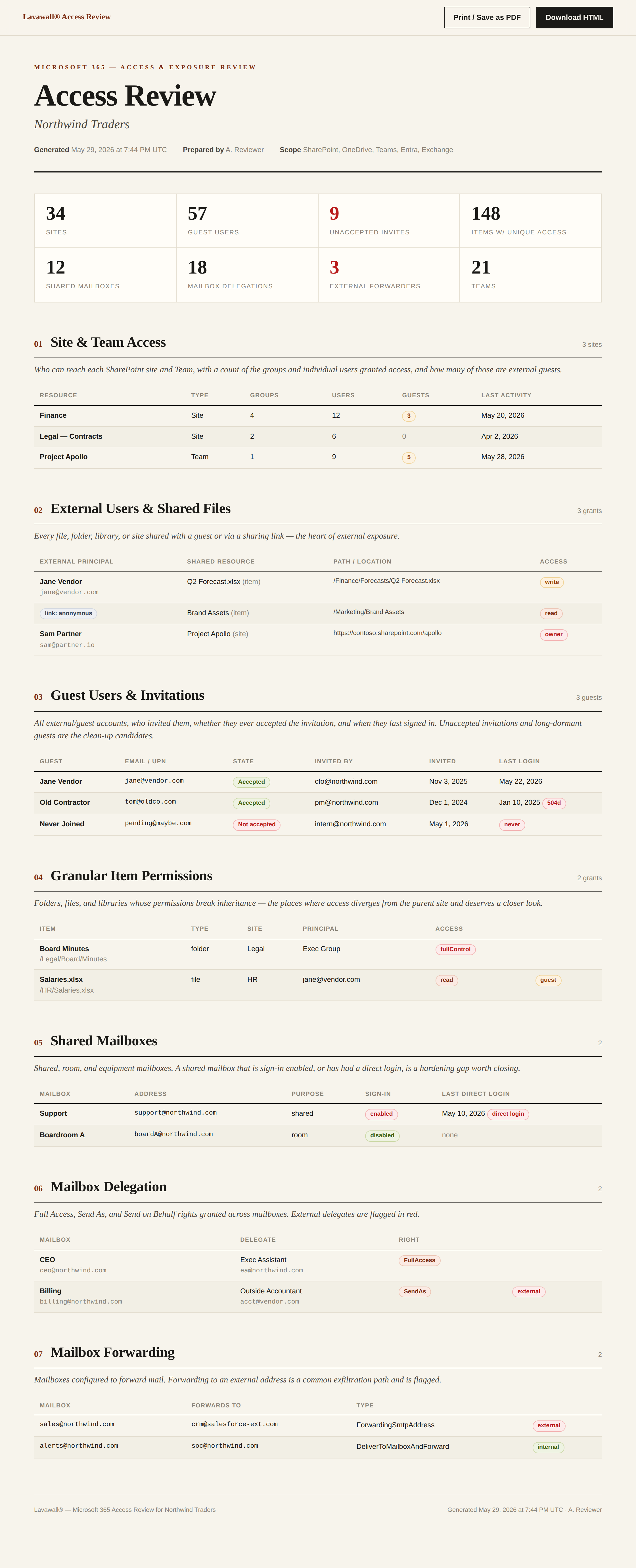
See who has access to what
Access across SharePoint, Teams, and Entra ID, gathered into one view, not a dozen admin centres and a spreadsheet you rebuild every quarter.
Route recertification to the right person
Send each entitlement to the approver who actually knows whether it belongs, and capture their keep / remove / escalate decision with a full audit trail.
Catch orphaned and over-privileged accounts
Dormant accounts, access that outlived a role change, and entitlements that drifted past least privilege get surfaced, so the review becomes a real cleanup.
Evidence auditors accept
Every review is timestamped and exportable. That is the recurring artifact SOC 2, HIPAA, NIST 800-171, and CMMC assessors ask for, produced as a by-product of doing the work.
Manage users and access across every tenant
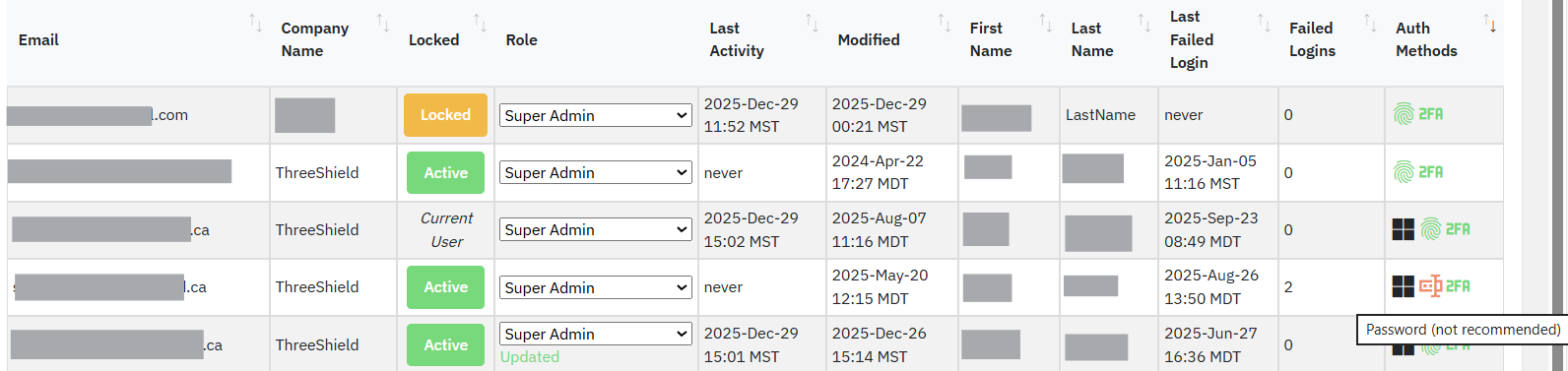
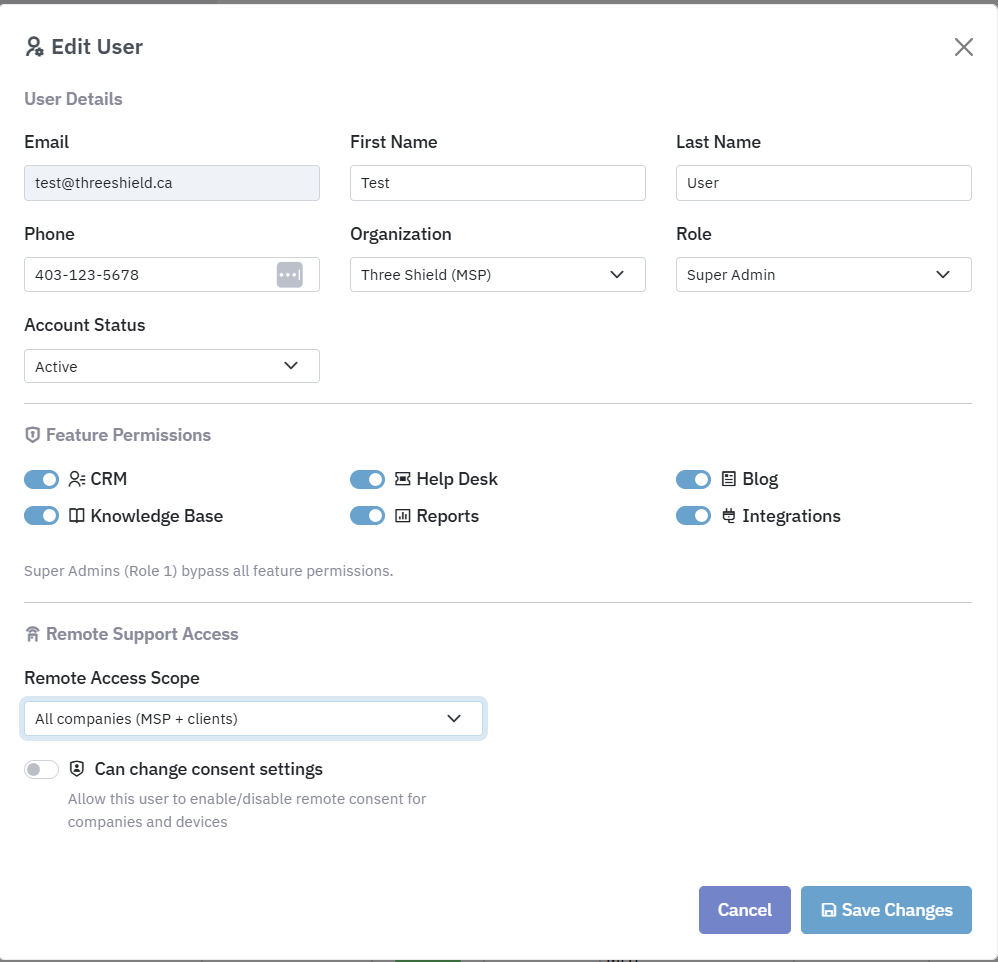
Access Review sits on top of Lavawall®’s multi-tenant user management for MSPs, so the same console that shows who has access also governs how they sign in. Add a user to a tenant company, or to the parent MSP company so the grant cascades to its child companies, and set exactly how much they can do.
Secure by default, weak options flagged in red
Lavawall follows Minimum Viable Secure Product (MVSP) principles: SSO is the recommended path, passkeys and MFA are on by default, and passwords are treated as optional and discouraged, with the less-secure choices highlighted in red.
- Single sign-on (SSO)
- Passkeys by default
- MFA built in
- Passwords optional, flagged red
Right-sized permissions, from full admin to read-only
Grant full administrative control, report-only access, read-only client viewing, or co-management that stops short of editing users, so every reviewer and client contact sees exactly what they should, and nothing they shouldn’t.

Want your review program designed and run?
ThreeShield, the CISSP/CISA team behind Lavawall®, will define the cadence, set the approver map, and run the recertification with you so it satisfies the auditor the first time.
Common questions
- What does an access review produce?
- A timestamped record of who has access to what across SharePoint, Teams, and Entra ID, the approver decisions, and the evidence auditors ask for.
- Does it catch orphaned and over-privileged accounts?
- Yes. Dormant accounts, access that outlived a role change, and entitlements past least privilege are surfaced for real cleanup.
- Is it gated by subscription?
- Yes. Access Review is enabled per company in billing, so what you see reflects what that tenant is actually subscribed to.