Device health & performance
Fix the slow computer before the complaint.
When a machine starts dragging, Lavawall® already knows why: the runaway process, the failing disk, the thermal throttle, or the event-log errors. Your techs see the cause in seconds, and you get a ranked replacement list so you re-equip people before they line up at your desk.
Start my free trial, no credit card See how it works
Month-to-month · no minimum for single modules · two domains scanned free forever
What your techs see instantly
The actual cause, not a guess
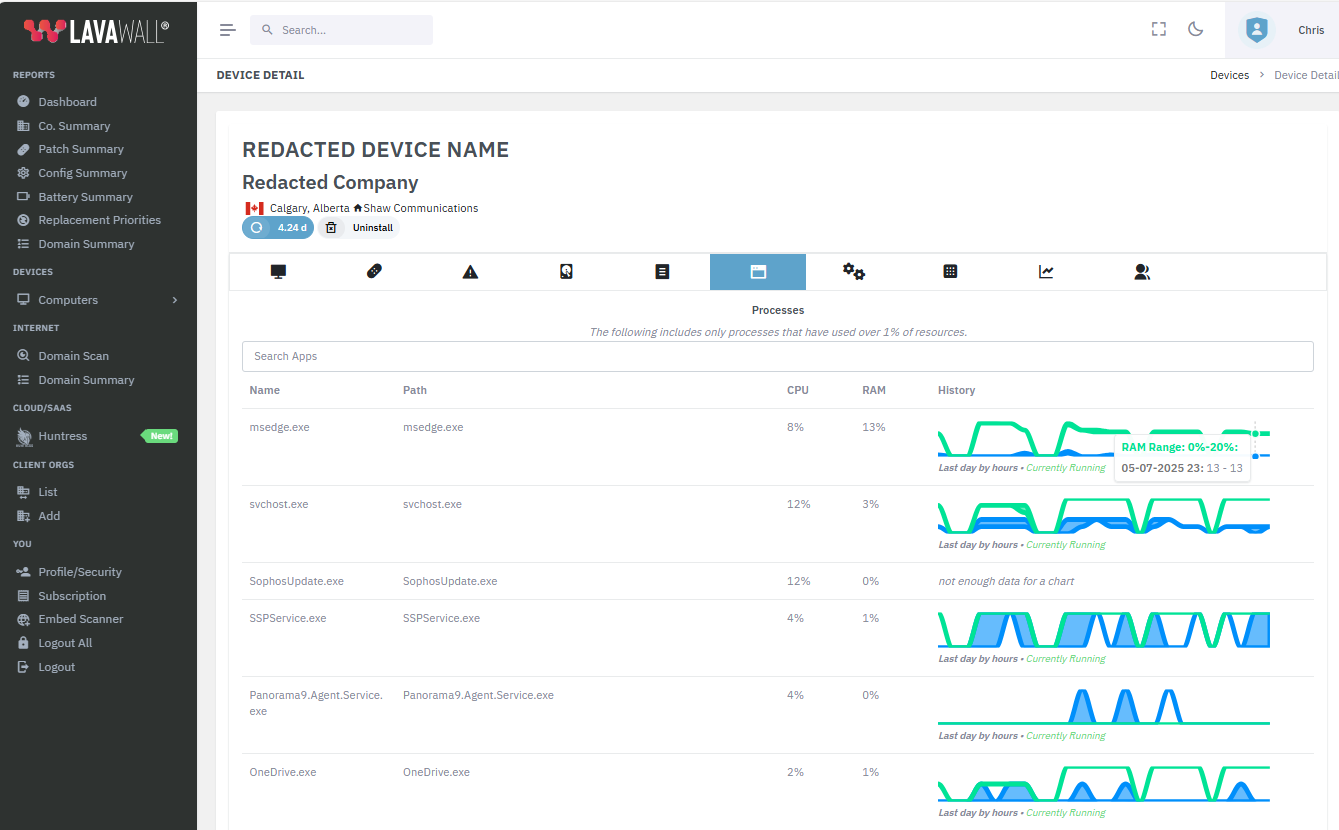
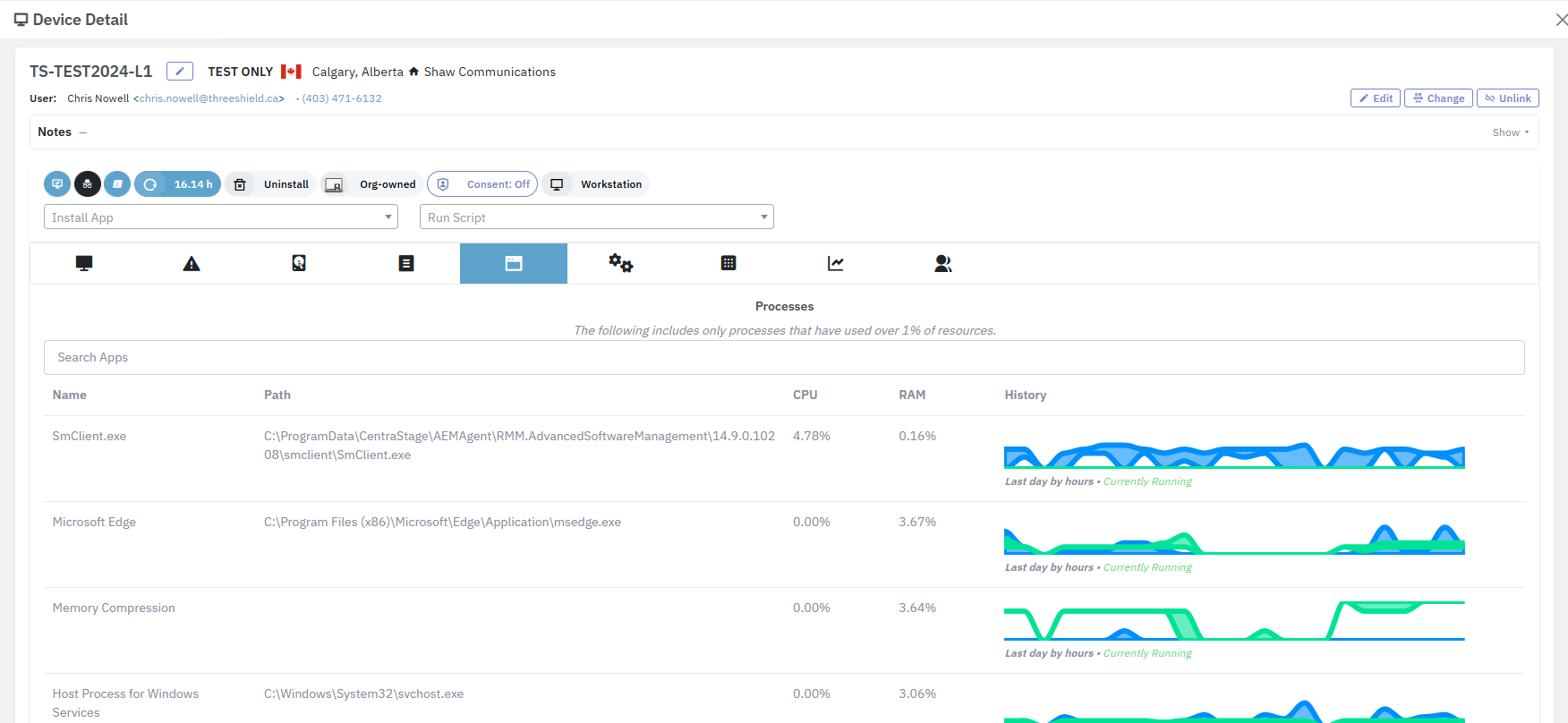
Open a device and Lavawall shows the live picture: which processes are eating CPU and memory, disk space and SMART health, temperature and throttling, and the system events that correlate with the slowdown. No remoting in to run Task Manager: it's already there.
A ranked replacement-priority list
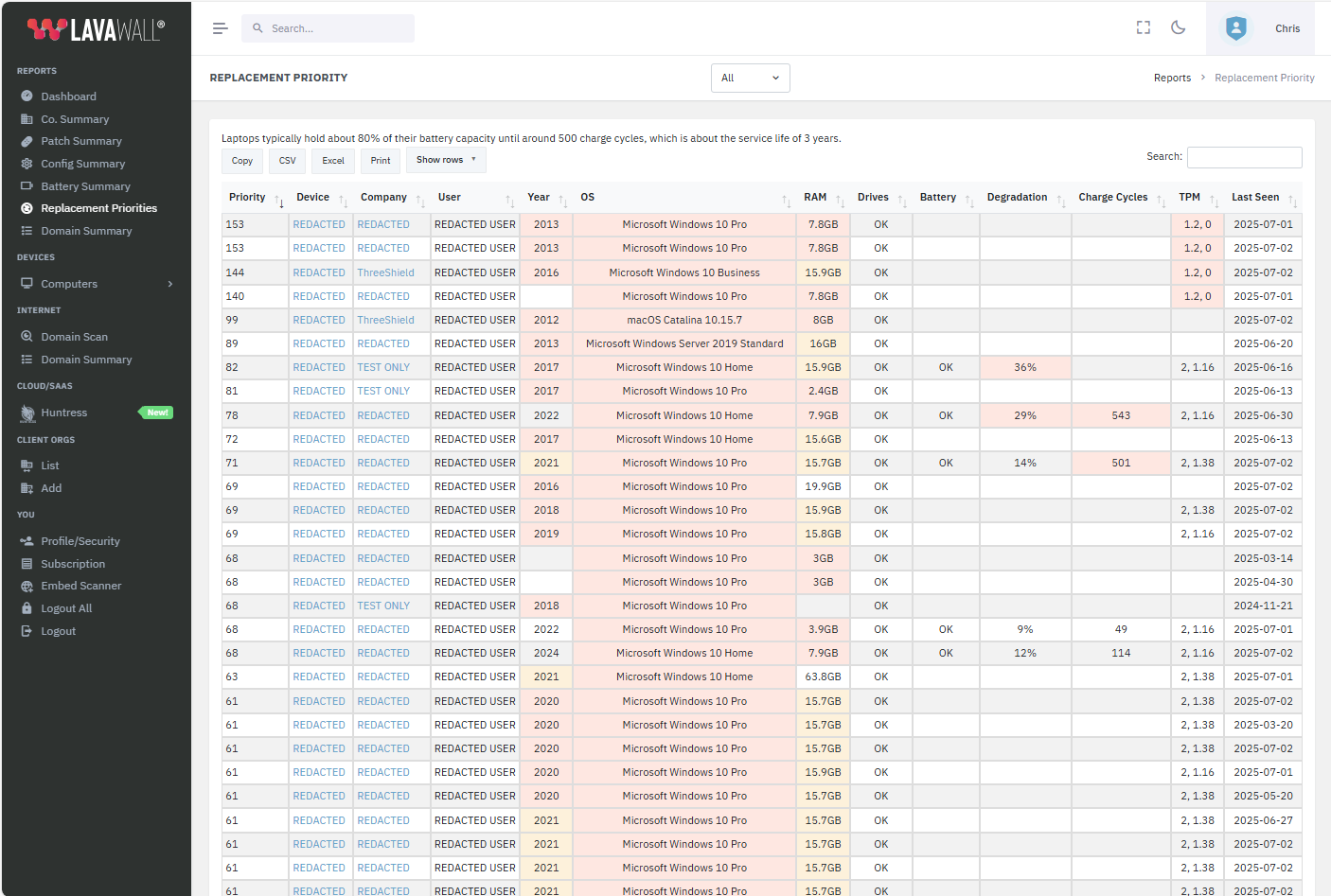
Every machine is scored on performance headroom, battery and disk wear, age, and error frequency. Budget goes to the devices that will fail or frustrate first, so you replace on evidence, not on whoever complains loudest.
Fixed before it's a ticket
When a device trends toward trouble, it surfaces early. Push a fix, schedule a swap, or free up disk remotely, often before the user notices anything is wrong.
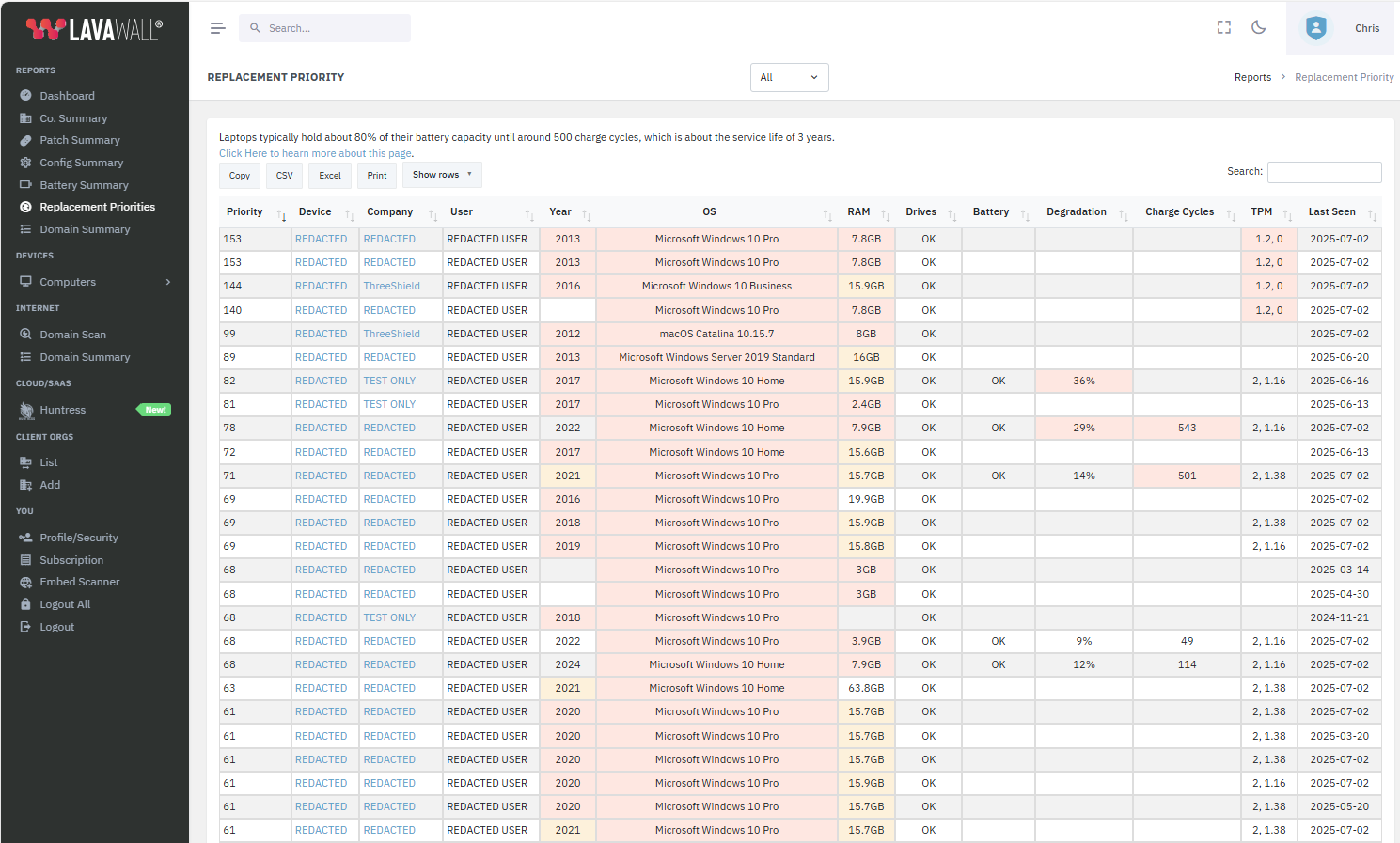
How the replacement-priority score is calculated
Lavawall® weighs the signals that actually predict failure and frustration, then ranks every machine so your budget lands where it matters first.
- Age: flagged past 3, 5, and 8 years, estimated from the processor release date, firmware, and model number
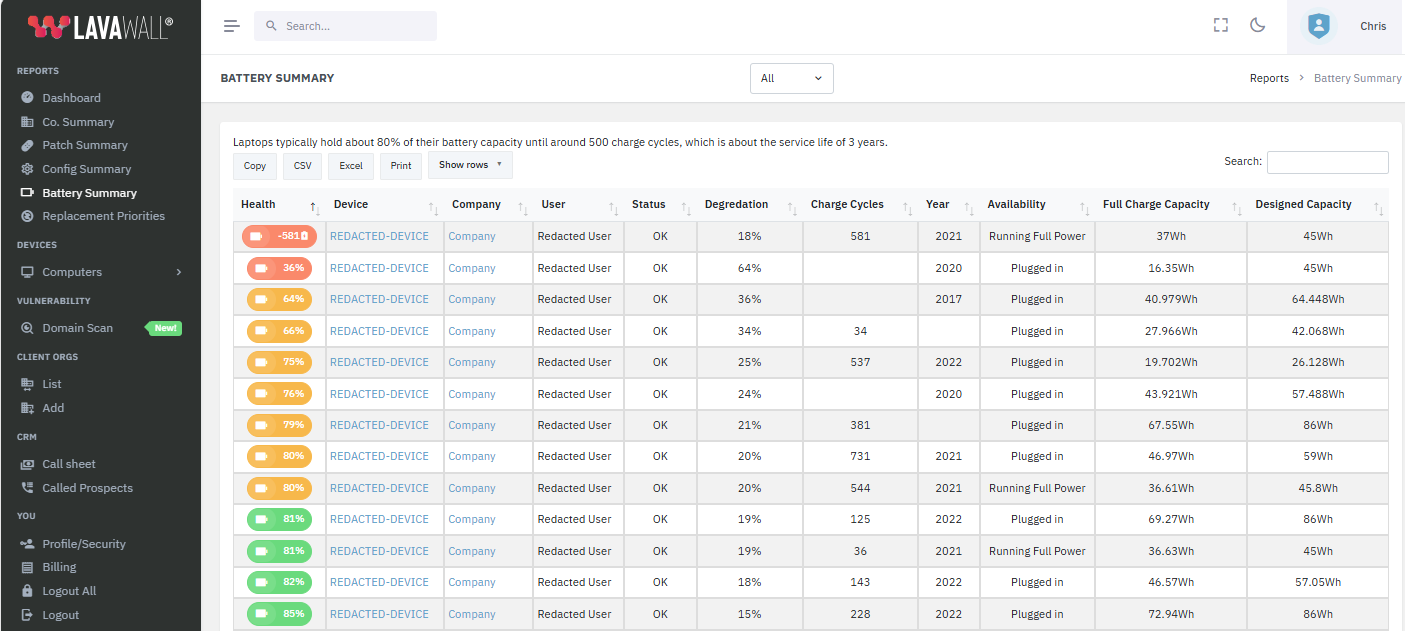
- Battery wear: charge cycles and capacity loss; around 3 years or 500 charge cycles a battery has typically lost ~20% of its capacity
- Drive health: scanning SSDs and spinning disks for physical and logical SMART errors
- OS support: red for systems losing mainstream support within a year, like Windows 10 or macOS Catalina
- TPM 2.0: flagging machines that can't run Windows 11 and other modern software
- Memory: red at 8 GB or less and yellow under 16 GB; 32 GB is the recommended business baseline, 24 GB on Macs
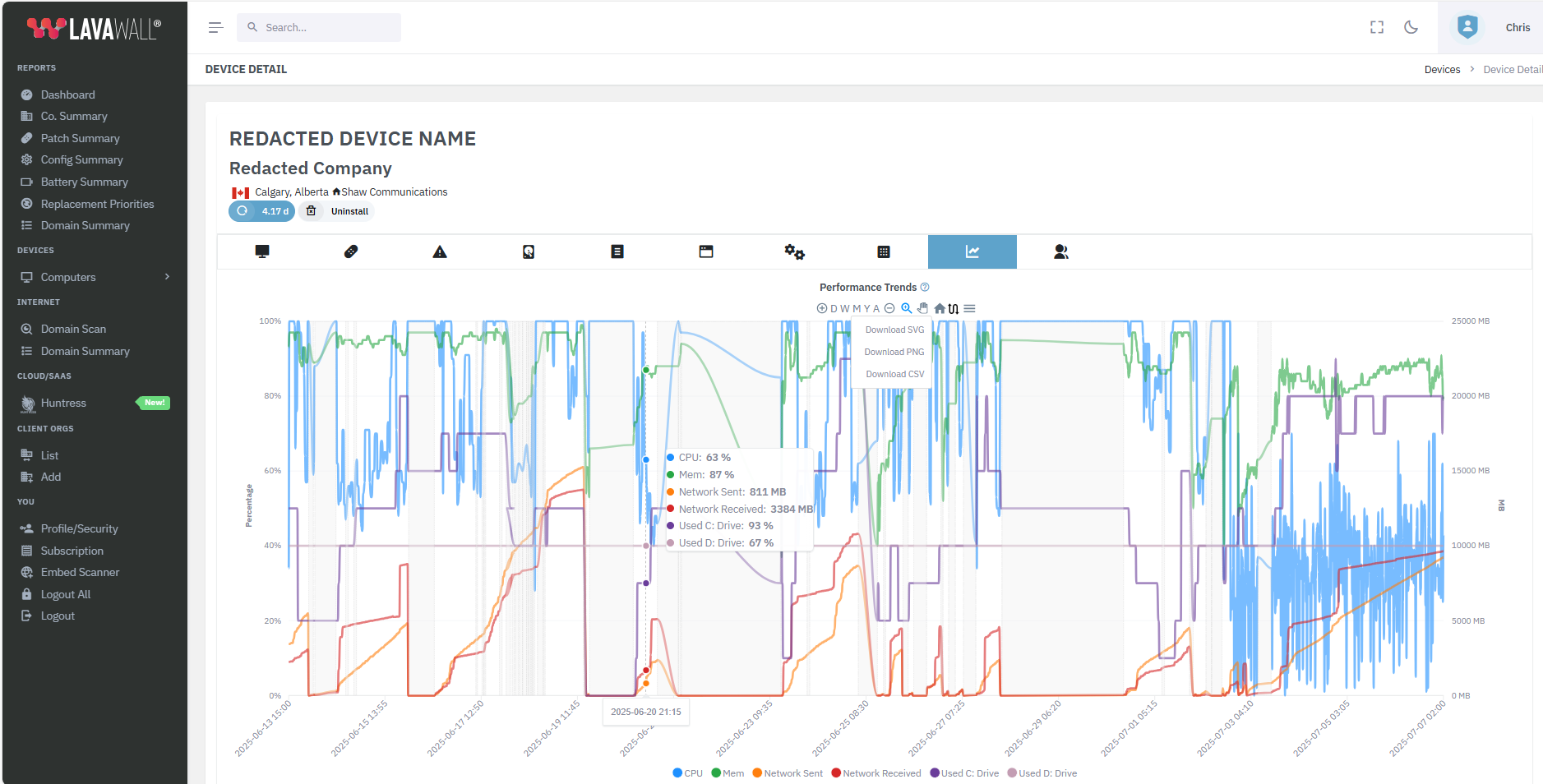
The performance picture, every 15 minutes
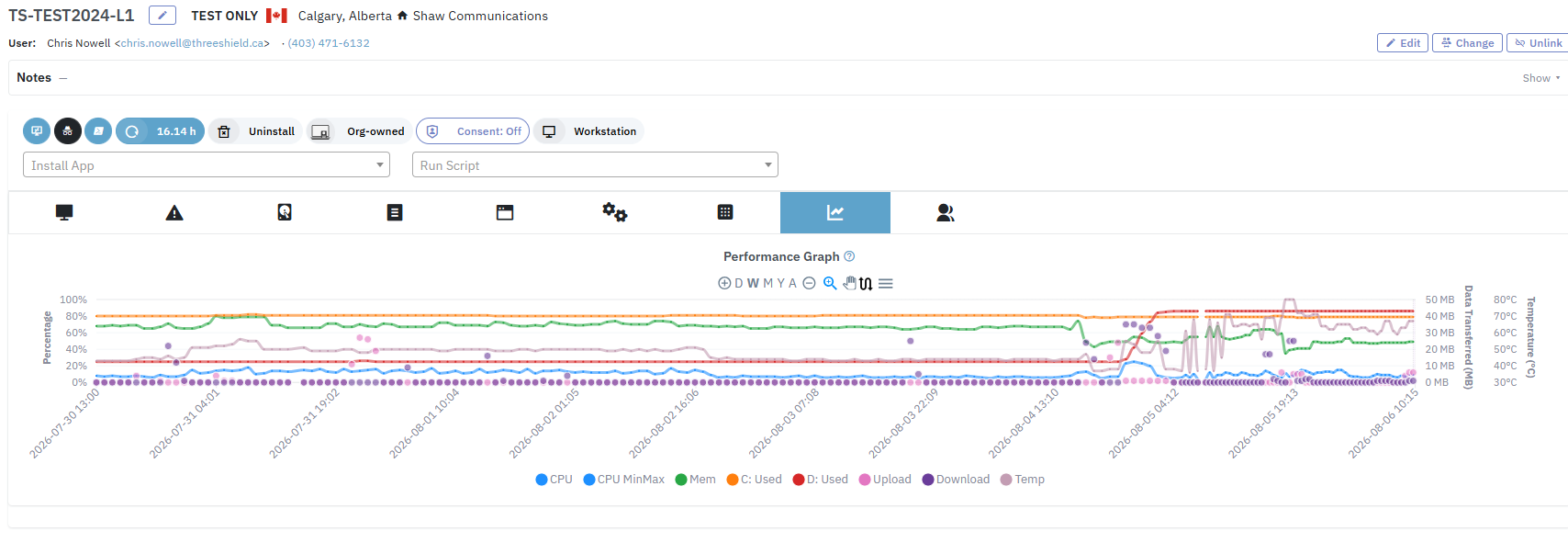
On Windows, Linux, and Mac, Lavawall® samples each machine every 15 minutes and keeps the highs and lows, so you can look back over the last day, week, month, or year and see exactly when a machine started to struggle.
- CPU: averaged across cores, with min and max in range view
- Memory: usage trends that expose leaks and runaway loops
- Network: upload and download since the last reboot
- Disk: primary and secondary drive capacity
- Temperature: thermal trends that reveal throttling
- Processes: every app using at least 1% CPU or RAM, with 24-hour graphs
Export any graph or its underlying data as SVG, PNG, or CSV. Grey overlays mark the hours a device was offline.
The alert lands before the user calls
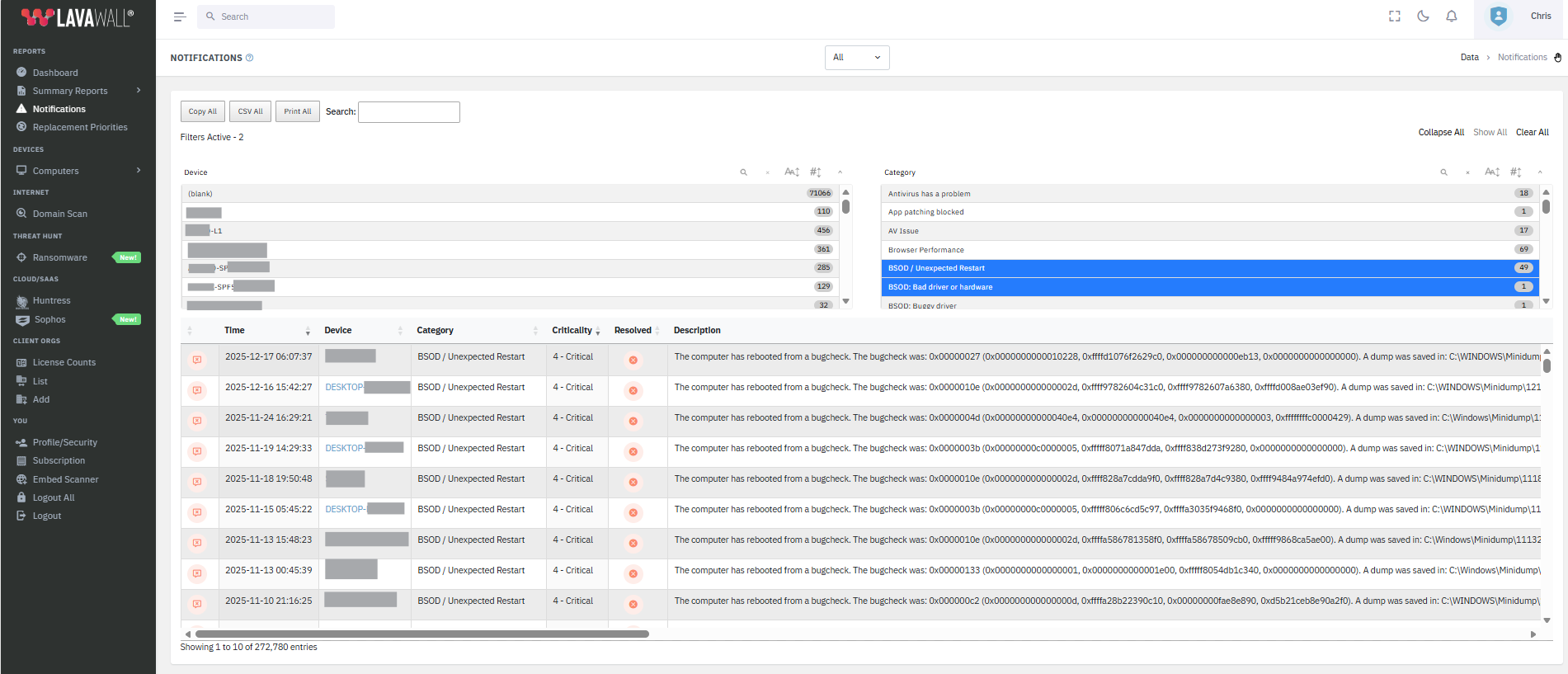
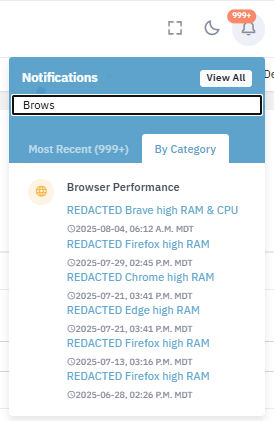
When a machine throws a BSOD, overheats, or its web browser starts dragging, Lavawall® raises a notification, so a struggling device shows up on your screen before it shows up in your inbox.
One agent, more than performance
Patch 7,400+ apps
The same agent keeps the OS and third-party software current. A huge share of "slow and flaky" is just missing updates.
Learn more →Remote support built in
Jump on the machine that needs a hand without a second tool or a second bill.
Learn more →Replace your RMM
Health, patching, and remote access in one console, billed month-to-month with no high-water mark.
Compare →Want a second set of senior eyes on your fleet?
ThreeShield, the CISSP/CISA team that builds Lavawall®, will review your environment and tell you exactly which machines to fix, which to replace, and what's quietly costing you productivity.
Common questions
- How does Lavawall know a computer is slow before the user complains?
- It reads each machine's real health signals continuously and scores them: CPU and memory pressure, runaway processes, disk space and disk health, thermals, and system event errors. Devices trending toward trouble surface on your replacement-priority list before they become tickets.
- Does this replace my RMM?
- Yes. The same agent that reports health also patches 7,400+ applications, runs remote support with full remote control and the Admin Workspace, and feeds compliance. You can retire a separate RMM outright, or run Lavawall® alongside your current RMM while you move over, one module at a time. It is month-to-month, with no minimum for single modules.
- How is the replacement priority calculated?
- Lavawall combines performance headroom, battery and disk wear, age, and error frequency into a ranked list, so budget goes to the machines that will fail or frustrate first.