Lavawall Backup
Get your Google Workspace out, at your speed.
One-click, read-only backups of your entire Google Workspace to a drive you control. Lavawall Backup downloads every user's mail and chat history, mailbox settings, Drive, shared drives, Google Meet recordings and meeting details, calendars, contacts, and tasks at the full speed of your connection, resumes after any interruption, and spans as many disks as it needs.
Start free, no credit card See how it works
Mail & chat · mailbox settings · Drive · shared drives · Meet · calendars · contacts · tasks
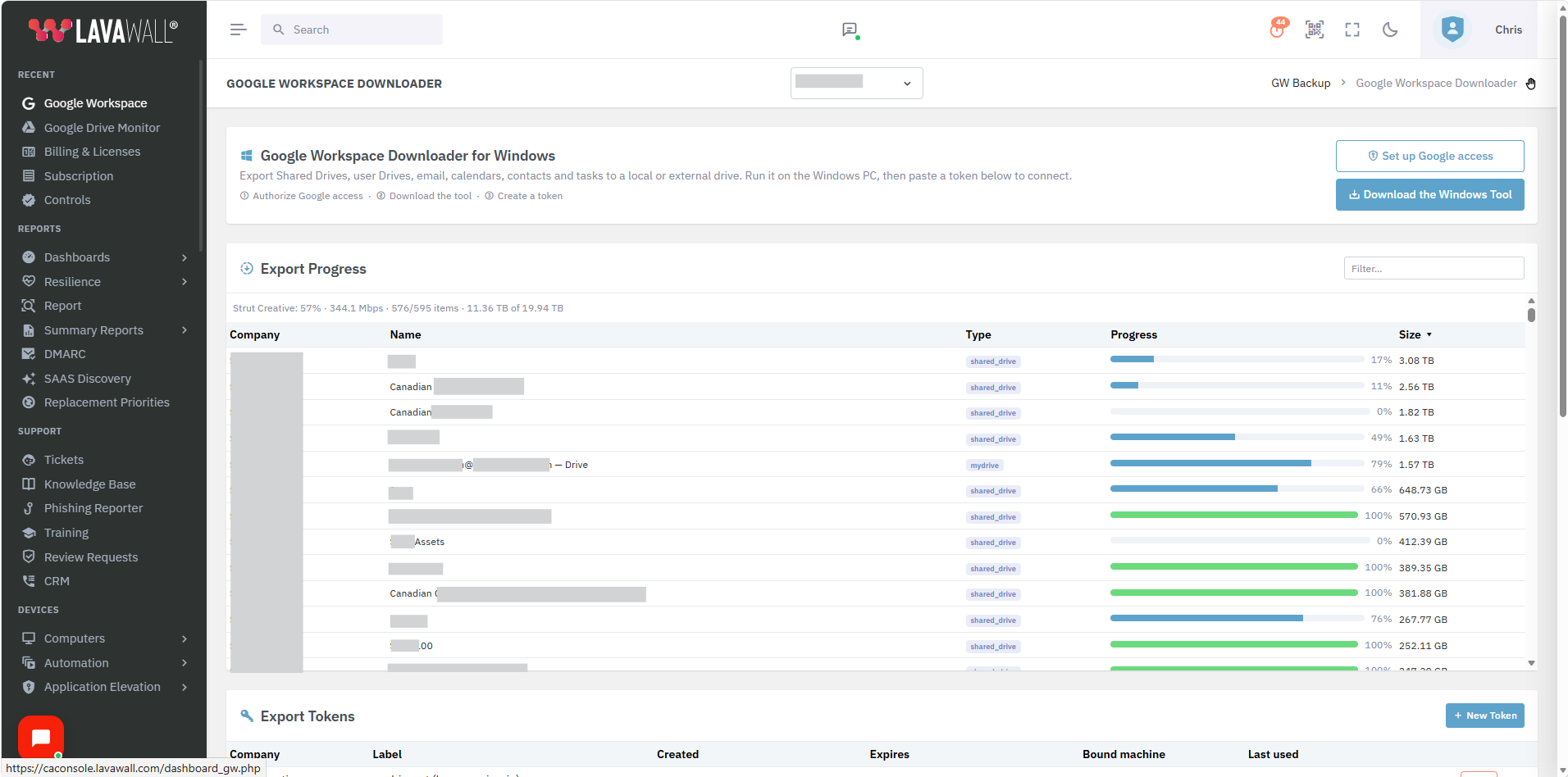
Every shared drive and My Drive, with live progress and size, in the Lavawall console.
What Lavawall Backup does
Lavawall Backup exports every user's mail and chat history, mailbox settings, Drive, shared drives, Google Meet, calendars, contacts, and tasks to storage you own, whether that is an external disk, a NAS, or anywhere else you point it.
It is read-only, resumable, and spans multiple disks automatically when one fills up. You set it up once with a single Google authorization. There is no per-user configuration, and none of your data passes through our servers. The mail and files travel straight from Google Workspace to the storage you chose.
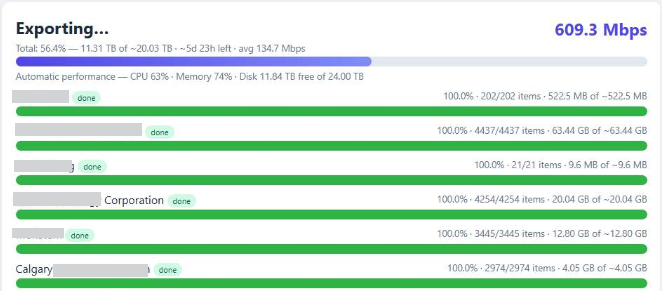
A live export running at 609 Mbps, straight to a drive you control.
Why getting data out of Google Workspace is usually painful
There are two common ways to pull a full copy of Google Workspace, and both fight you when the data is large.
A Google admin export makes you wait, then crawl
A Google Workspace or Takeout export runs as a batch job. For a large tenant the archive can take a day or more before it is even ready, and admin exports of everyone's data are measured in hours to days, not minutes.
Doing it properly across a whole tenant usually pulls you into the command line, tools like GAM, or a paid add-on and a Google Cloud Storage bucket to receive the export. That is another subscription, another bill, and a skill set most teams do not have on hand when the clock is running.
When it is finally ready, you still download large archive files through a browser. A dropped connection, a reboot for a patch, or a browser timeout can send you back to the start.
Direct-to-cloud backup is built to restore, not to hand you the data
Cloud backup services such as Datto SaaS Protection and Axcient are designed to restore data in place. When you need a full copy out to your own storage, you export per user or per shared drive as Zip archives and download them through a browser.
Datto's own guidance suggests using a dedicated download manager for large files and a tool like 7-Zip to open big archives, and an export link expires after 14 days. Restoring many shared drives means going back to the list, sorting by name, and downloading each one, often at a fraction of your line speed. Full-mailbox Zips get so large they become awkward to move at all.
Sources: Google Workspace admin export guidance and Datto SaaS Protection restore/export documentation.
How Lavawall Backup is different
One native app on a computer you control, doing the one thing that browser downloads and restore-first backup cannot.
Full-bandwidth downloads
Backups run at the full speed of your connection, up to a gigabit on a residential line. A job that took days in a browser can finish in a fraction of the time.
Resumes automatically
If your Internet drops or you move to another computer, the job picks up where it left off. Nothing already downloaded is wasted.
Tracks everything, paces itself
It keeps track of every download and pulls as fast as it can without overwhelming your computer, so the machine stays usable while the backup runs.
Read-only by default
Backups do not change anything in your tenant. The one optional exception for orphaned shared drives is temporary and fully logged.
One authorization, no per-user setup
A single Google authorization covers the whole tenant. There is no per-user configuration to click through and nothing to maintain.
Straight to storage you own
Data lands on your external disk, NAS, or chosen path, and never passes through Lavawall servers.
Captures the files others quietly skip
Long file paths, long names, deep folder nesting, and unusual or Unicode characters make many tools drop files without telling you. Lavawall® Backup is built to bring those along, so what you get is the whole thing.
No command line, no extra cloud bill
No GAM scripts, no Vault add-on, and no Google Cloud Storage bucket to stand up and pay for. Install the app, authorize once, and go.
Verifies what it pulled
Each disk carries a manifest and the job tracks counts as it runs, so you can confirm the copy is complete instead of hoping it is.
What you can back up
Everything that matters in a Google Workspace tenant, captured to your own storage:
- Gmail: every user's mailbox, including classic Chat and Hangouts conversation history.
- Mailbox settings: filters, labels, aliases and send-as, vacation responder, forwarding, delegates, and POP/IMAP, so a mailbox can be rebuilt, not just read.
- User Drives: each person's files and folders.
- Shared drives: every team drive.
- Google Meet: recordings and transcripts (saved to Drive), plus meeting details like participants and timing.
- Calendars: events, schedules, and calendar sharing.
- Contacts: address books, contact groups, and auto-collected "other contacts."
- Tasks: the to-do lists tied to each account.
Google Docs, Sheets, Slides, and Drawings are captured in standard, openable formats.
Two capabilities that set it apart
Shared-drive access level
Choose how deep your shared-drive backups go
Some shared drives have no member you can act on behalf of directly. You choose how Lavawall Backup handles them, with three levels:
- Only what they have access to. Read-only, direct members only.
- Any share anyone has access to. Read-only, and it resolves membership through group expansion so shared drives reached through a group are still captured.
- Include orphaned shares. Adds a temporary-membership fallback for drives with no reachable member: it adds an internal reader, exports, then removes the reader. Every step is logged.
Multi-disk spanning
Backups that do not stop when a disk fills up
When a target disk fills, the app asks for the next disk (any path or label works) and continues in the same job. It writes a manifest on each disk and records the drive chain, so one export can span as many disks as your data needs.
How to buy it
Lavawall Backup is available three ways.
Included in Professional and Complete
Professional includes unlimited exports for tenants up to 100 users or 50 TB. Complete raises that to 1,000 users or 5,000 TB. On Professional you can upgrade the component (below) to lift the cap.
Standalone, one-time
$225 for a tenant up to 100 users or 50 TB, or $675 up to 1,000 users or 5,000 TB. No other Lavawall® product required.
Unlimited add-on / Professional upgrade
$45/mo per tenant for unlimited exports at any size, on any plan. This is how a Professional customer lifts the 100 user / 50 TB cap. It can also be set up for an export-only tenant with no dashboard.
Prices in CAD. A standalone export is a one-time charge; the add-on and the tier inclusion are unlimited while active.
What it needs to run
Setup is deliberately light. Lavawall Backup uses a shared service account with domain-wide delegation authorized in your Google Admin console, plus a super-admin email to authorize it. No OAuth consent screen or Lavawall dashboard is required to run an export, so it also works for an export-only tenant.