Ransomware Hunter
Did they really leave? Find out before it starts again.
Antivirus and EDR watch for ransomware while it runs. The Lavawall® Ransomware Hunter looks for the pre-warning signs they don’t: ransom notes, encrypted files, exfiltration and remote-access tools, and the quiet living-off-the-land activity attackers leave behind. After an attack, that is how you find the delayed instance you missed before it restarts the whole mess.
Start my free trial (no credit card)See how MDR fits in
Akira & common variants · 5–15 min per computer · included in monthly health scans
What the hunter looks for
Antivirus, EDR, and breach-detection tools mostly check for known executables and behaviour while ransomware is actively running. They don’t look in depth for the pre-warning signs left behind. The Ransomware Hunter does. On each computer it hunts for the indicators of compromise that ransomware crews leave during staging and after a payload runs:
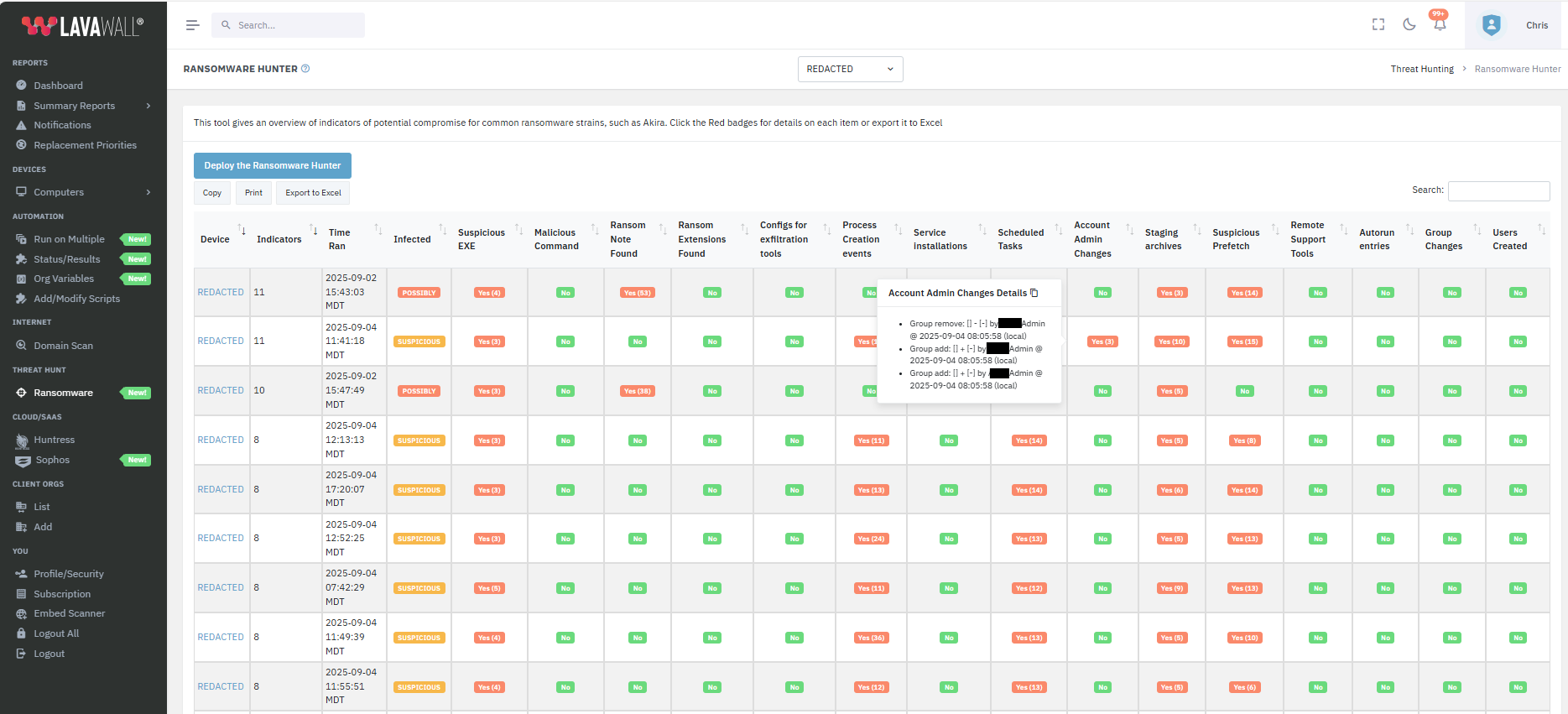
- Ransom notes. We started with Akira and now detect notes from the most common ransomware families, the fingerprint left behind even after the payload is gone.
- Partially and fully-encrypted files, the direct evidence that encryption already ran or started.
- Exfiltration tools. Hybrid attacks steal your data before they encrypt it, so flagging these tells you whether a breach-notification clock is already running.
- Archives staged for theft, the compressed bundles attackers build right before they move data out.
- Suspicious executable files and executables primed to run.
- Malicious commands and suspicious programs that were recently run.
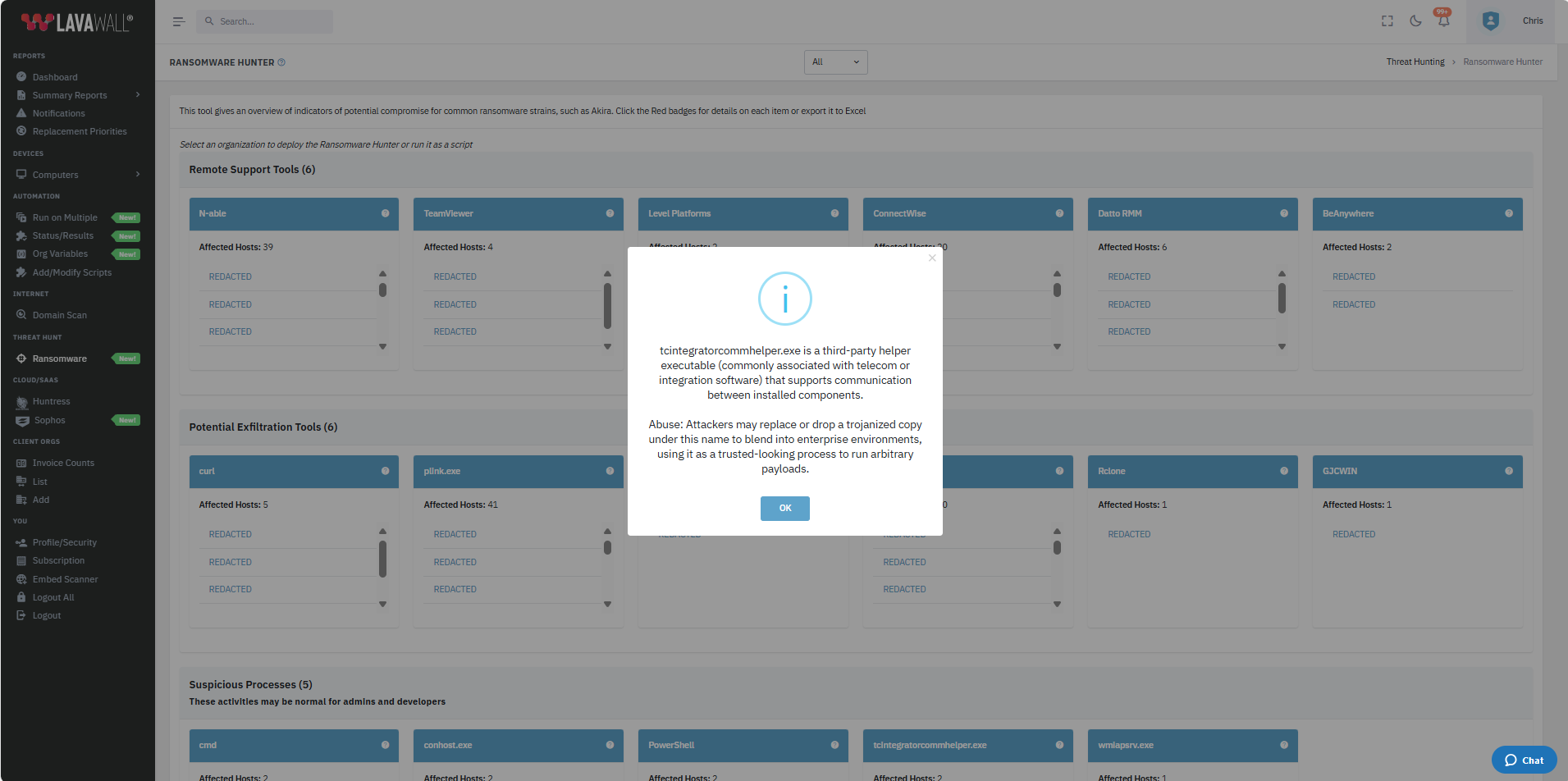
- Remote-access tools and RMMs that attackers install to keep their foothold.
- Living-off-the-land activity, the legitimate-looking processes attackers abuse to avoid detection.
- Newly-installed services and programs set to run on boot or login, common persistence tricks.
- Changes to scheduled tasks, another way attackers keep code running.
- Changes to administrator accounts, user accounts, and account groups, the privilege moves that come before encryption.
See a tool or process you don’t recognize? Click the question mark in the computer listing’s header for a plain-language explanation.
How findings are presented
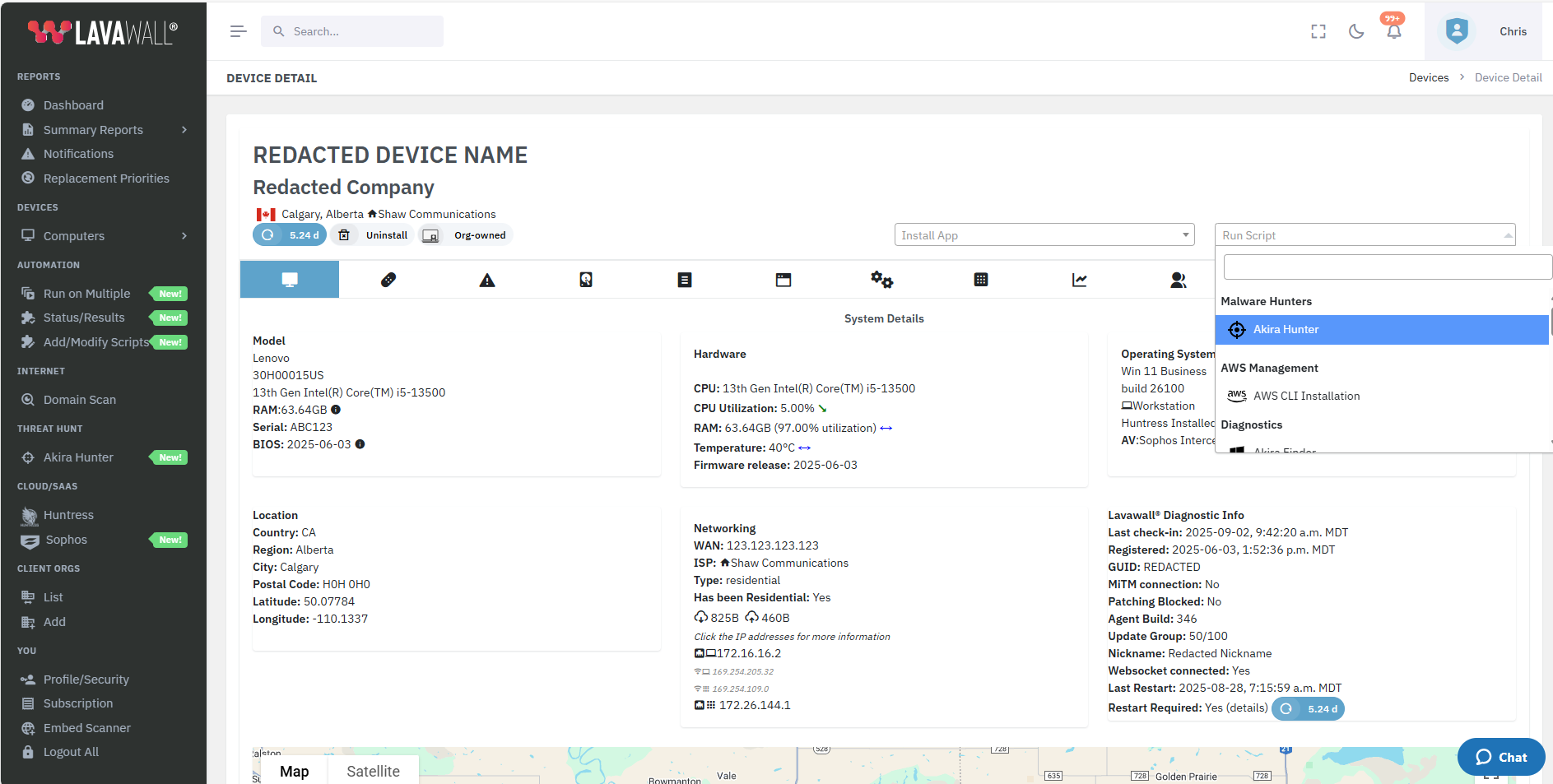
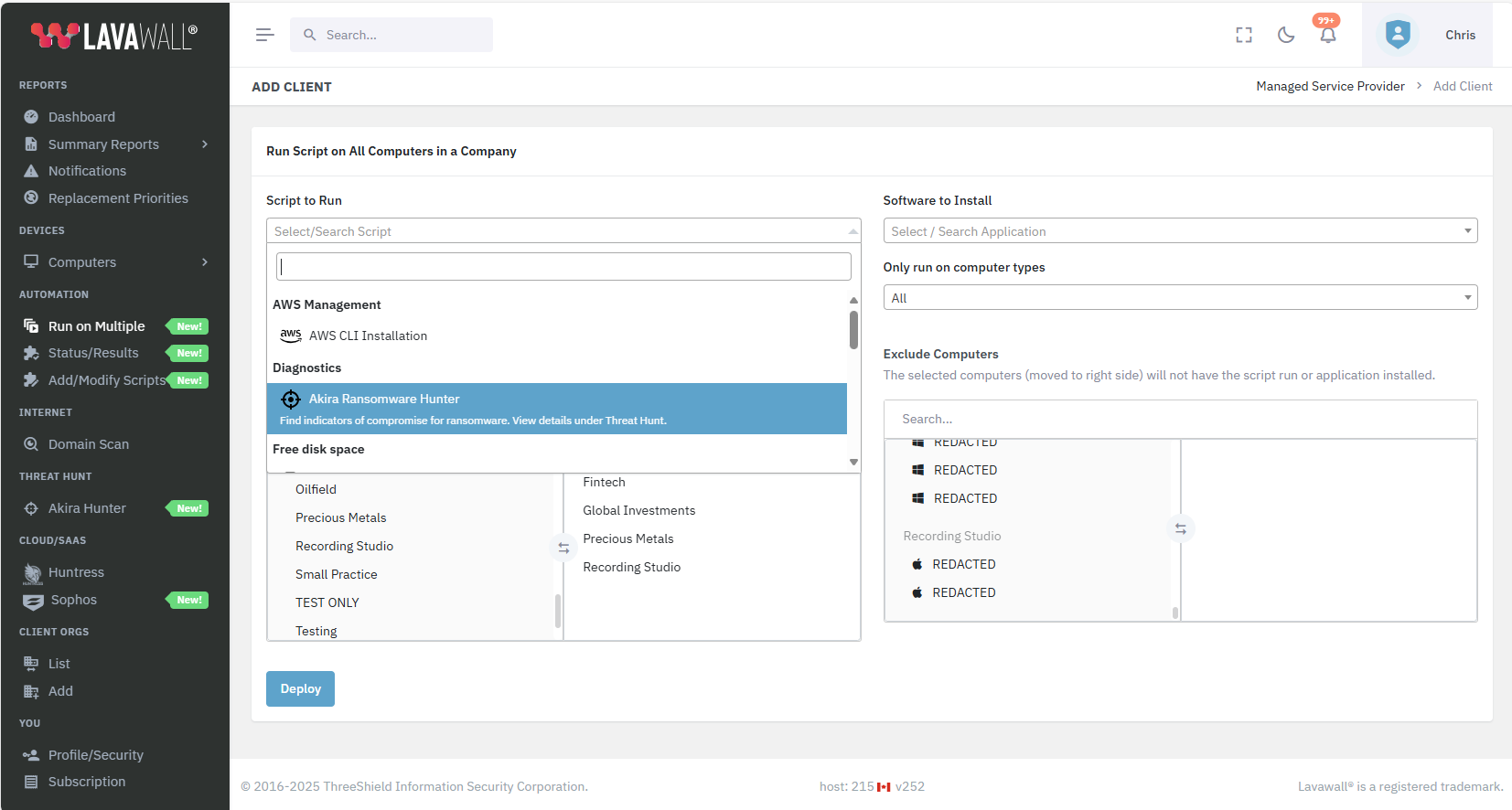
The summary view shows a count of what was found across your fleet. Click any red badge to open the detail for that indicator. Deploy the hunter by picking an organization from the drop-down on the summary page and clicking Deploy, or run it from the Run Script menu in device details, or push it to many companies and computer types at once. A typical computer finishes in 5 to 15 minutes, and the hunter also runs automatically in Lavawall®’s monthly health scans.
Deployment rides on the RMM you already run, with integrations for Atera, ConnectWise, Datto, N-Able, and Panorama9, so you can reach a single device or a whole book of clients from one screen.
Want a human read on a finding? Hit the Chat button and a Level 3 cybersecurity expert will walk through it with you.
Think you’re still compromised?
ThreeShield, the CISSP/CISA team behind Lavawall®, can run the hunt with you, triage what it finds, and confirm the intruder is actually gone.
Common questions
- How is this different from our antivirus or EDR?
- It looks for the pre-warning signs they skip. Antivirus and EDR watch for known executables and behaviour while ransomware runs; the hunter looks deeper, so you catch a dormant or missed instance first.
- How long does a scan take?
- Typically 5–15 minutes per computer, and it runs automatically in the monthly health scans.
- What does it look for?
- Ransom notes (Akira and common variants), exfiltration tools, installed remote-access tools, and suspicious living-off-the-land processes.