On-prem file monitoring
Your file server should tell you when something's wrong.
Lavawall® watches file create, change, access, and delete events on your on-premises Windows servers, attributed and timestamped, so you hear about the share that quietly gets mass-encrypted or the folder an insider shouldn't be browsing.
Start my free trial, no credit cardSee how it works
Per-server · access & change events · ransomware-pattern detection
See it in the Lavawall® console
Real screens, shown with example data.
On-prem visibility you probably don't have
Access and change, attributed
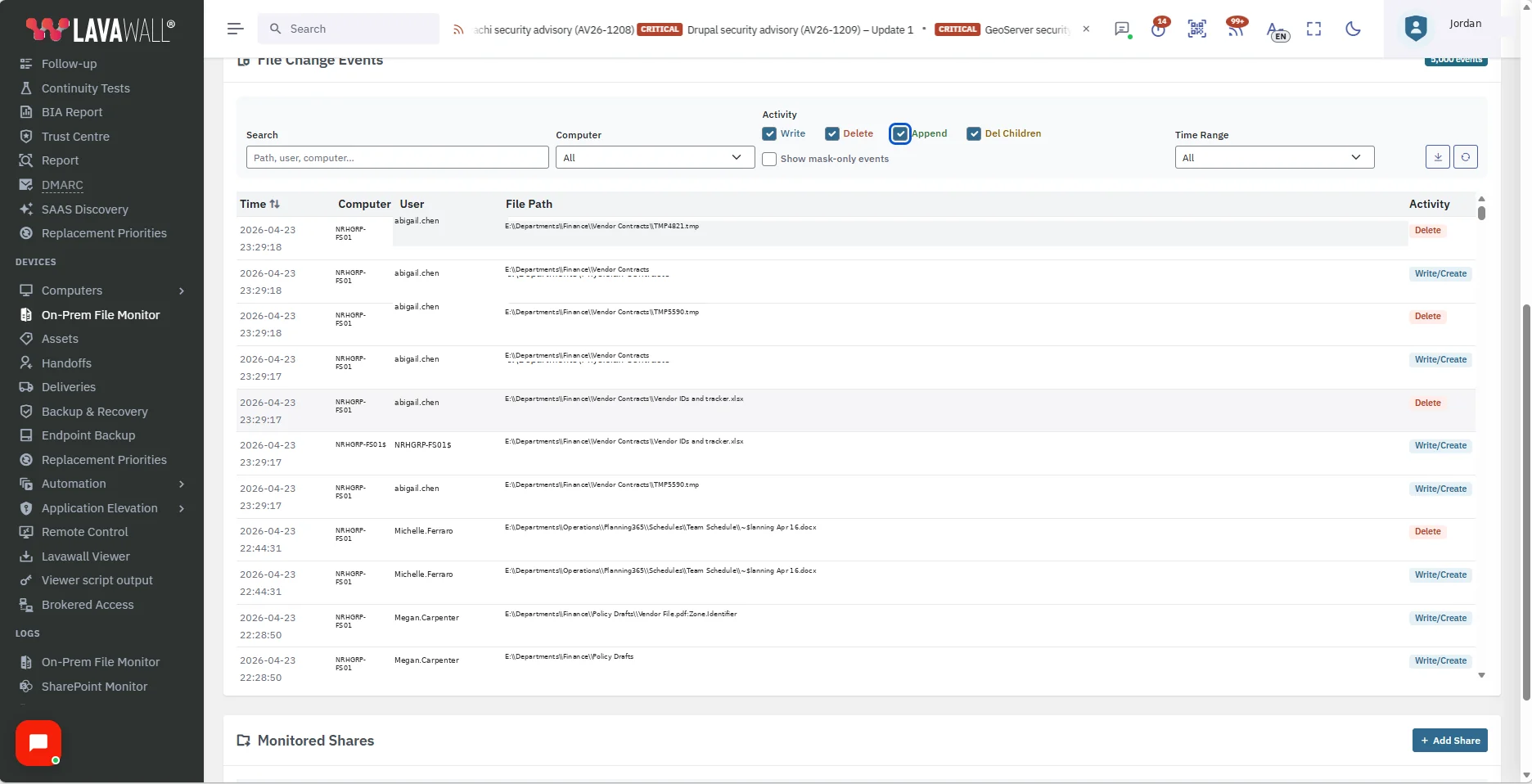
Creates, writes, deletes, renames, and ACL changes on monitored servers and shares: the audit trail that on-prem file servers rarely provide out of the box. Each record carries the path, the operation, the actor (the SID where the OS exposes it), the source IP for share access, the timestamp, and a hash of the file before and after.
- Windows: minifilter driver + Security log IDs 4663, 4660, 4670
- Windows file-share access: events 5140 & 5145 with source IP
- Linux:
auditd&inotifyon NFS and Samba shares - macOS: Apple Endpoint Security framework (no kernel extensions)
- Antivirus-tampering: Defender exclusions & AV service changes
- Persistence paths: System32, Program Files, scheduled tasks, service binaries
You choose what to monitor
Add a share by its server, share name and path, and the Lavawall® agent on that computer starts tracking it on its next sync. Remove a share the same way; if it was the only one monitored on that computer, file-change tracking turns off there too. There is nothing to install beyond the Lavawall® agent that already runs on the server.
An activity chart that shows the spike
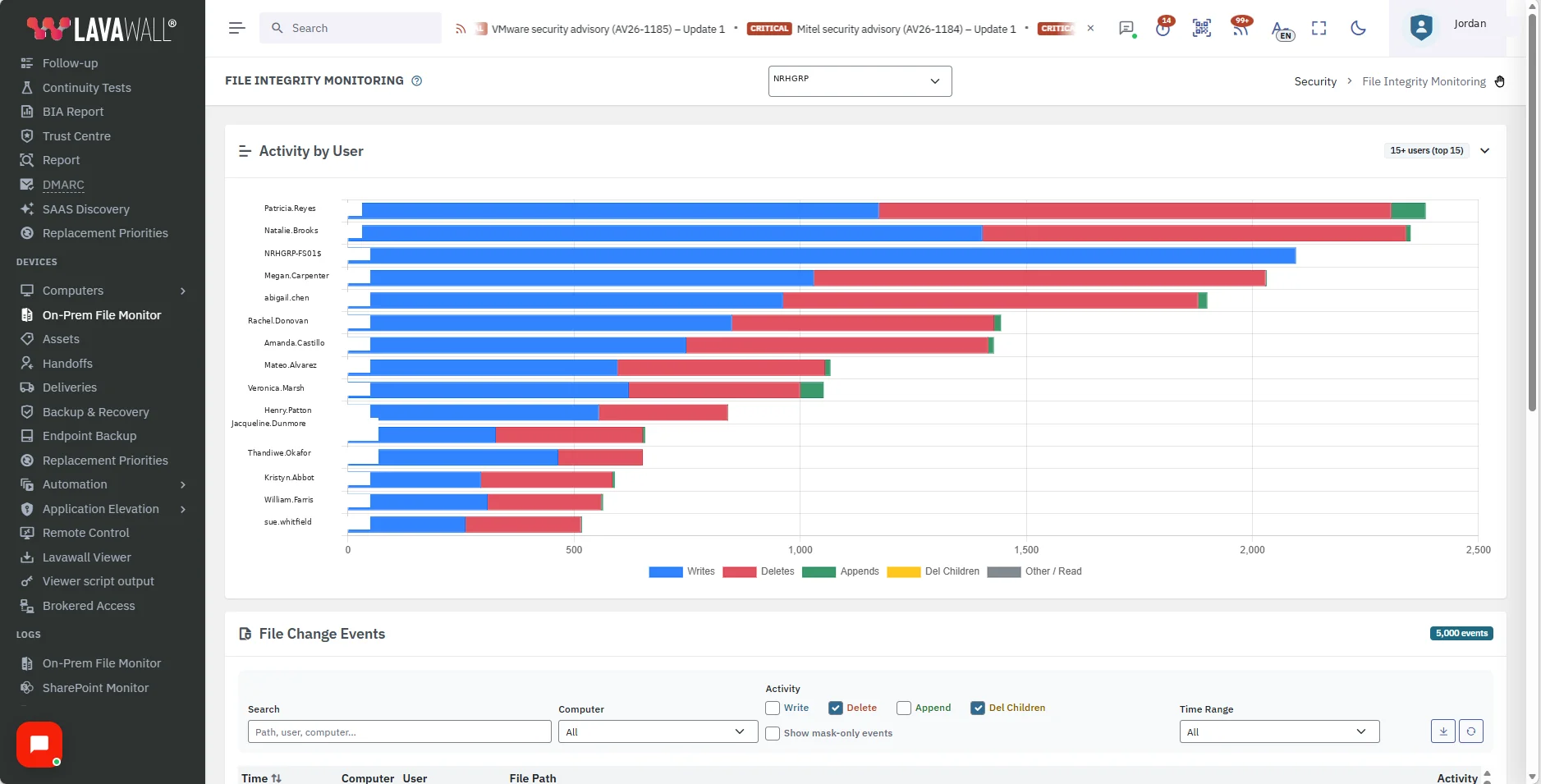
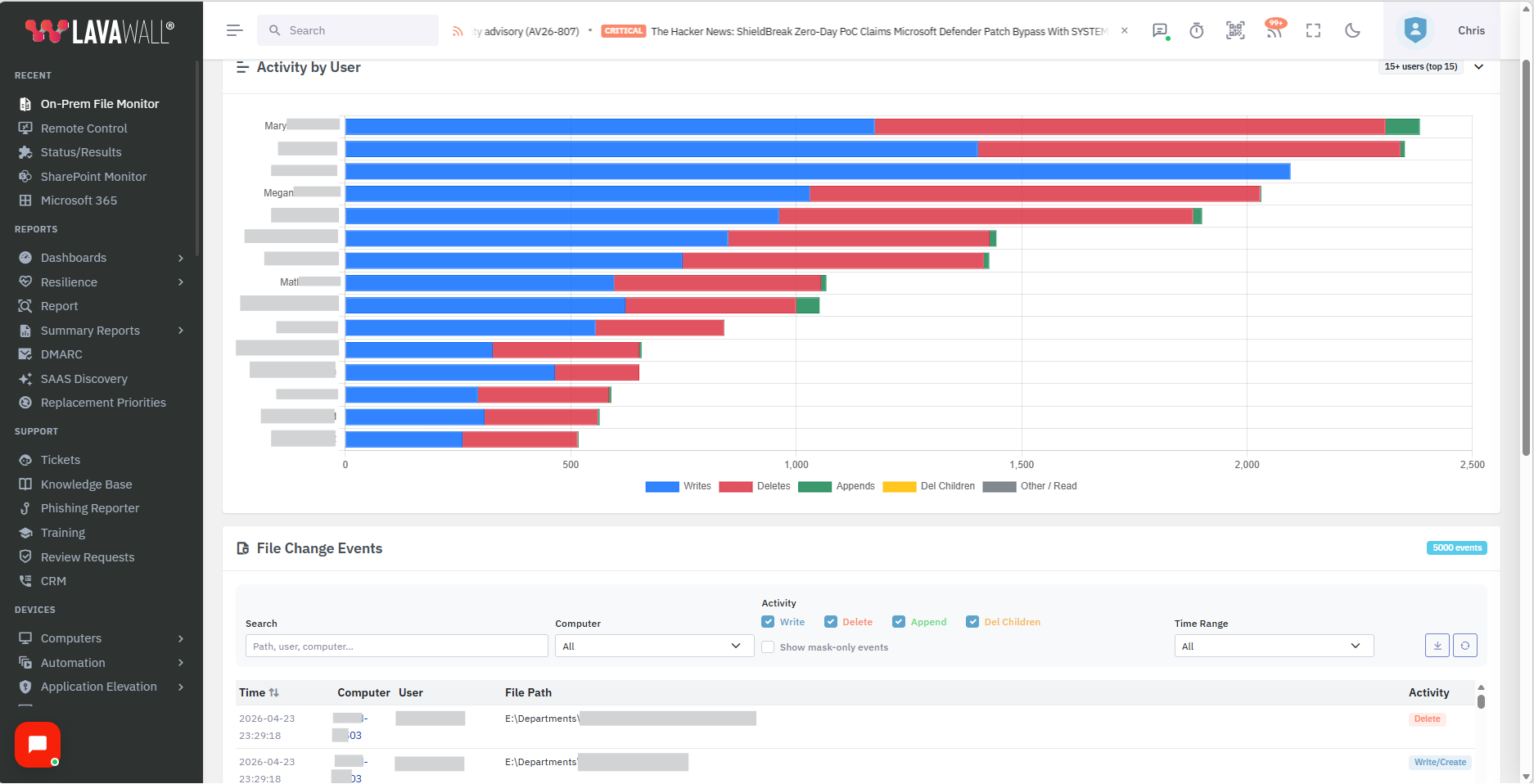
A collapsible chart totals writes, deletes, appends, and other access by user, so an account suddenly deleting or rewriting far more than usual stands out visually before you ever open the detailed event list.
Ransomware patterns surface fast
A burst of rapid file changes across a share is the signature of ransomware. Lavawall® flags it, and the Akira Ransomware Hunter hunts the IOCs across your fleet.
What an alert looks like
A notification names the server, the share, the account, and the kind of change behind the spike, so you can act on it the moment it's raised instead of discovering the damage days later during a routine check.
Evidence that stands up to an audit
The same file-integrity monitoring maps to controls under SOC 2, HIPAA, NIST SP 800-171, CMMC 2.0, PCI DSS v4, ISO 27001:2022, and CIS Controls v8. Export any filtered view of events to CSV when you need to hand over the evidence.
Simple per-server licensing
Add the servers that matter. File access monitoring extends across servers and tenants as you grow.
Not sure what's on your file shares?
ThreeShield, the CISSP/CISA team behind Lavawall®, will review your file-server exposure and access, and lock down what shouldn't be open.
Common questions
- What does on-prem file monitoring watch?
- File create, change, access, and delete events on monitored Windows servers and shares, attributed and timestamped.
- How is it licensed?
- Per on-premises server; file access tracking across servers/tenants is included in higher tiers or available a la carte.
- Does it help detect ransomware?
- Yes. The wide, rapid file-change pattern ransomware creates is exactly what this surfaces, alongside the Akira Ransomware Hunter.
- What does an alert actually look like?
- A notification names the server, the share, the account involved, and the kind of change, such as an unusual burst of deletes or writes from one account. You can also see it yourself on the On-Prem File Monitor page, where a bar chart shows activity by user, coloured by write, delete, append, or other access, so a spike stands out before it reaches a notification threshold.
- Can I see who deleted a specific file?
- Yes. Filter the file change events by Delete, search for part of the file or folder name, and widen the time range if needed. The matching rows show the computer, the user, and the exact time of the delete.