Sophos Licences
Compare how many Sophos licences each organization owns with how many are in use.
What the page is for
This page lists the Sophos licences (SKUs) held by your linked Sophos organizations, as reported by Sophos Central at the last sync. Each row shows the SKU code and name, licence type, the quantity owned, the number in use, and the organization.
Use it to catch organizations that are over their licence count, or paying for licences they are not using. The list starts filtered to the Sophos organizations linked to the company selected at the top of the console.
What you see
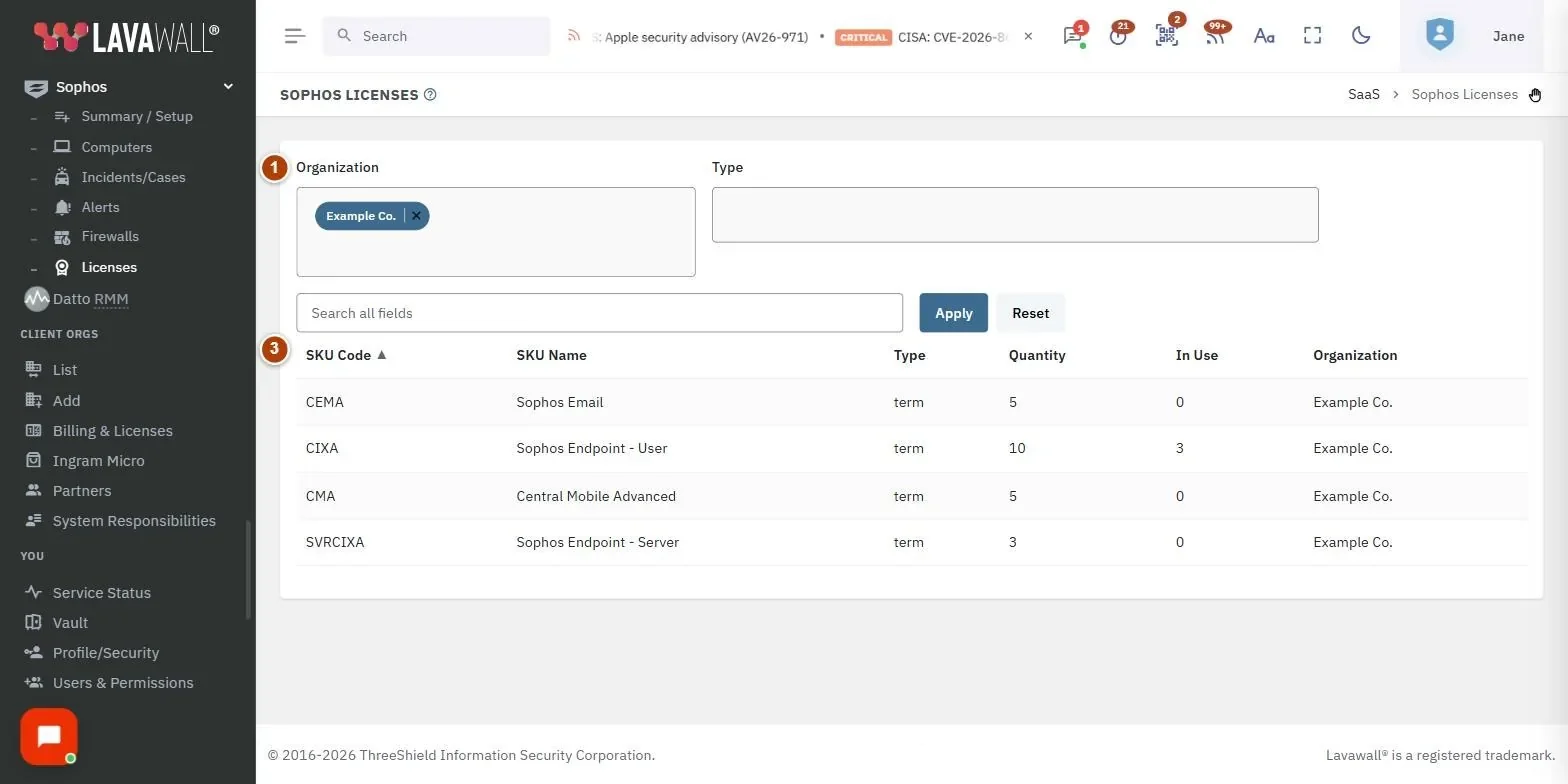
- Filters: Organization and Type multi-select boxes.
- Search and buttons: Search all fields, Apply and Reset.
- Licence table: SKU Code, SKU Name, Type, Quantity, In Use and Organization.
How to check licence usage for one organization
- Choose the organization in Organization.
- Click Apply.
- Compare Quantity with In Use on each row.
How to filter by licence type
- Choose one or more values in Type.
- Click Apply. Click Reset to clear the filters.
How to search and sort
- Type part of a SKU code or name in Search all fields and click Apply.
- Click a column heading to sort. SKU Code A to Z is the default; Quantity and In Use sort largest first on the first click.
Tips
- N/A in Quantity means a usage-based licence with no fixed quantity.
- Sort by In Use to find the SKUs with the most consumption.
- If In Use is higher than Quantity, the organization is using more than it owns; check Sophos Computers for unexpected or duplicate computers.
Troubleshooting
- No licences are listed. Only organizations with licence data appear. Run a Sophos sync on Sophos Summary and Setup and link the organization to the selected company.
- A licence is missing. The list shows up to 2,000 rows; narrow with the filters.
Related articles
Still need help?
Search the support centre, or contact our support team and tell us which page you were on.
Names, companies, devices and figures in the pictures are examples. Other product and company names are trademarks of their respective owners.