Computer notifications
Reach every computer when email can't.
When Microsoft or Google has an outage, the mail server is down, or a phishing message is spreading, email is the wrong place to tell people. Lavawall® puts a message on the desktop of their Windows computers, with a link to the status page.
Start my free trial, no credit card See how it works
Windows computers · English or French · one client or many
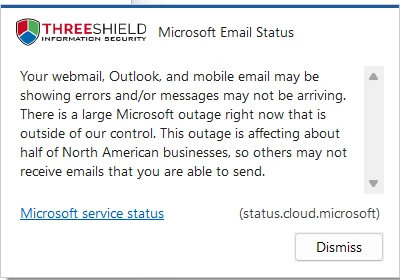
When email is the problem, or too crowded to help
Most companies tell people about problems by email. That works until it doesn't.
Email itself is down
A Microsoft or Google outage, or your own mail server failing, is exactly when an email warning cannot reach anyone. A desktop message can tell people what is happening and where to check for updates.
A phishing message is spreading
Tell everyone what to look for, and what not to click, right on the screen in front of them while you clean up.
Mailboxes are too crowded
A notice that is one of two hundred unread messages is easy to miss. A message on the desktop, with a link, stands apart.
See it in the Lavawall® console
Real screens, shown with example data.
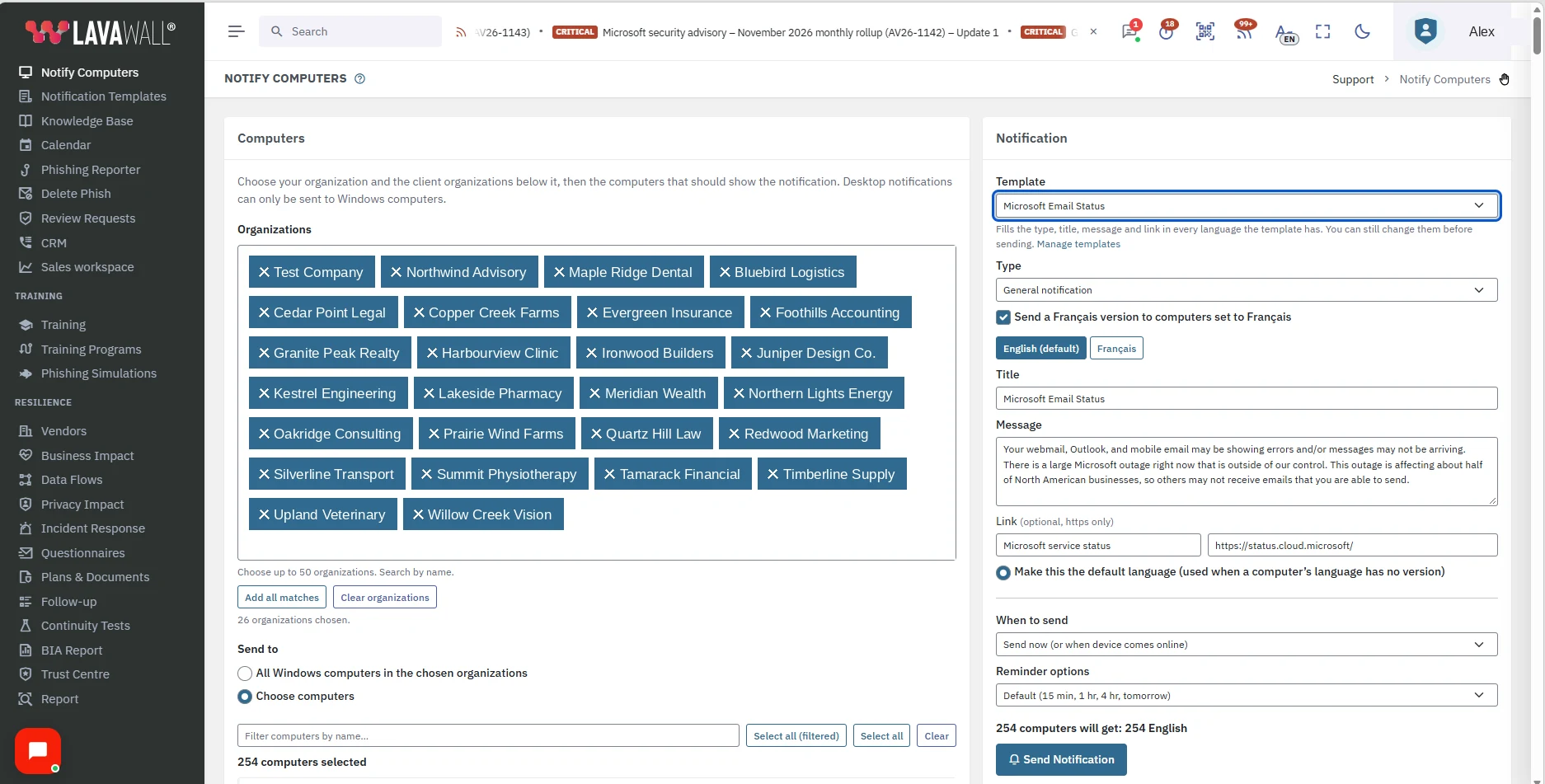
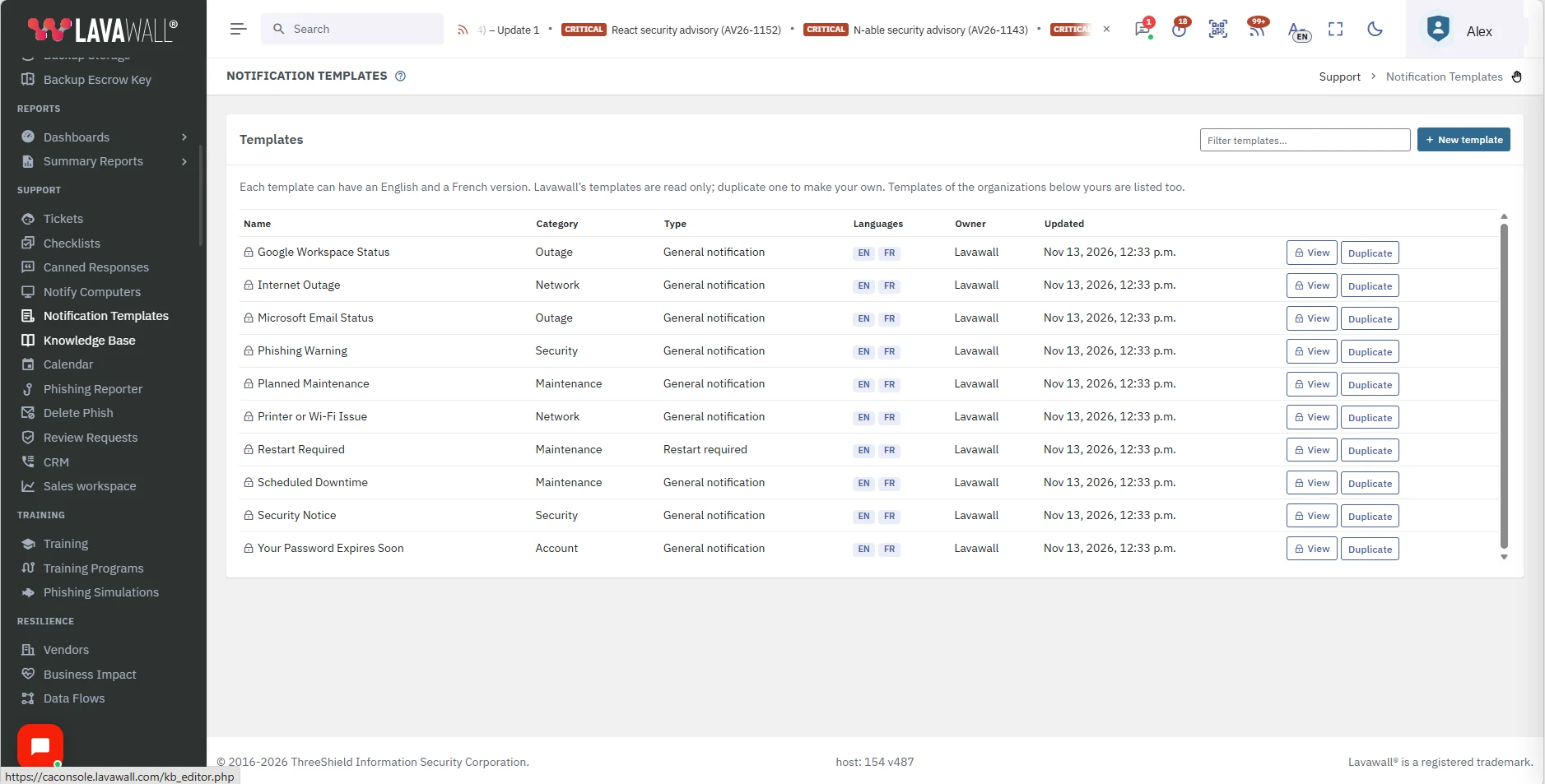
Ready before the outage, sent in a few clicks
Start from a ready-made template
Pick a message that fits and its title, text and link are filled in for you. You can change anything before you send. MSPs can duplicate any Lavawall template and make it their own, in English and in French.
Choose who gets it
Choose one client or many, up to 50 organizations at a time. Then send to all of their Windows computers, or choose specific computers.
English or French, computer by computer
Each computer receives the version written in its own language, so a bilingual client does not need two separate announcements.
Send now, or schedule it
Send straight away, or choose a date and time. Add reminders for people who dismiss it, or send a single notice.
One click to the status page
Add a link, for example to the Microsoft or Google status page, so people can follow the outage themselves. Links must be https.
Ten templates to start with
- Microsoft email status
- Google Workspace status
- Planned maintenance
- Phishing warning
- Restart required
- Scheduled downtime
- Printer or Wi-Fi issue
- Internet outage
- Password expires soon
- Security notice
Who can use it
Admins, Super Admins and people who have been given the permission can send notifications. Computer management must be part of your plan.
Good to know
- Notifications go to Windows computers only.
- It does not replace email, and it cannot make anyone read it.
- A computer that is off or offline receives the message when it next connects.
- Every send is recorded in the activity log.
Works with the rest of Lavawall
Remove phishing emails
Warn people on the desktop, then remove the message from every mailbox.
Learn more →Want to see it on your own computers?
ThreeShield, the CISSP/CISA team that builds Lavawall®, will show you how to have the right message ready before the next outage.
Common questions
- Does a desktop notification replace email?
- No. It is one more way to reach people, for the moments when email is down, slow or crowded. It appears on the screen of a Windows computer, and Lavawall cannot make anyone read it.
- Which computers receive the notification?
- Windows computers that run the Lavawall agent. You choose all of them, or specific ones, in one organization or several.
- Can an MSP send one message to many clients?
- Yes. Choose one client organization or many, up to 50 organizations at a time.
- Can the message be in French?
- Yes. Each template can have an English and a French version, and each computer receives the version in its own language.
- Who can send notifications?
- Admins, Super Admins and anyone who has been given the permission. Computer management must be part of your plan.
Microsoft and Google are trademarks of their respective owners. Other product and company names are trademarks of their respective owners.