Connect Google Workspace
Connect or re-authorize your Google Workspace so Lavawall can monitor it, without seeing any monitoring data yourself.
What the page is for
This page is for people who need to connect Google Workspace to Lavawall but should not see the monitoring results, such as a client's IT administrator who only grants access. Users with this limited permission are sent here instead of the Google Workspace dashboard.
The page shows whether your Google Workspace is connected and, if so, the administrator account and domain used. It also warns you if the stored authorization has expired or been revoked, or if the Google account used to connect has been deleted.
Authorizing grants Lavawall read-only monitoring access. You sign in with a Google Workspace administrator account. No monitoring data is shown on this page.
What you see
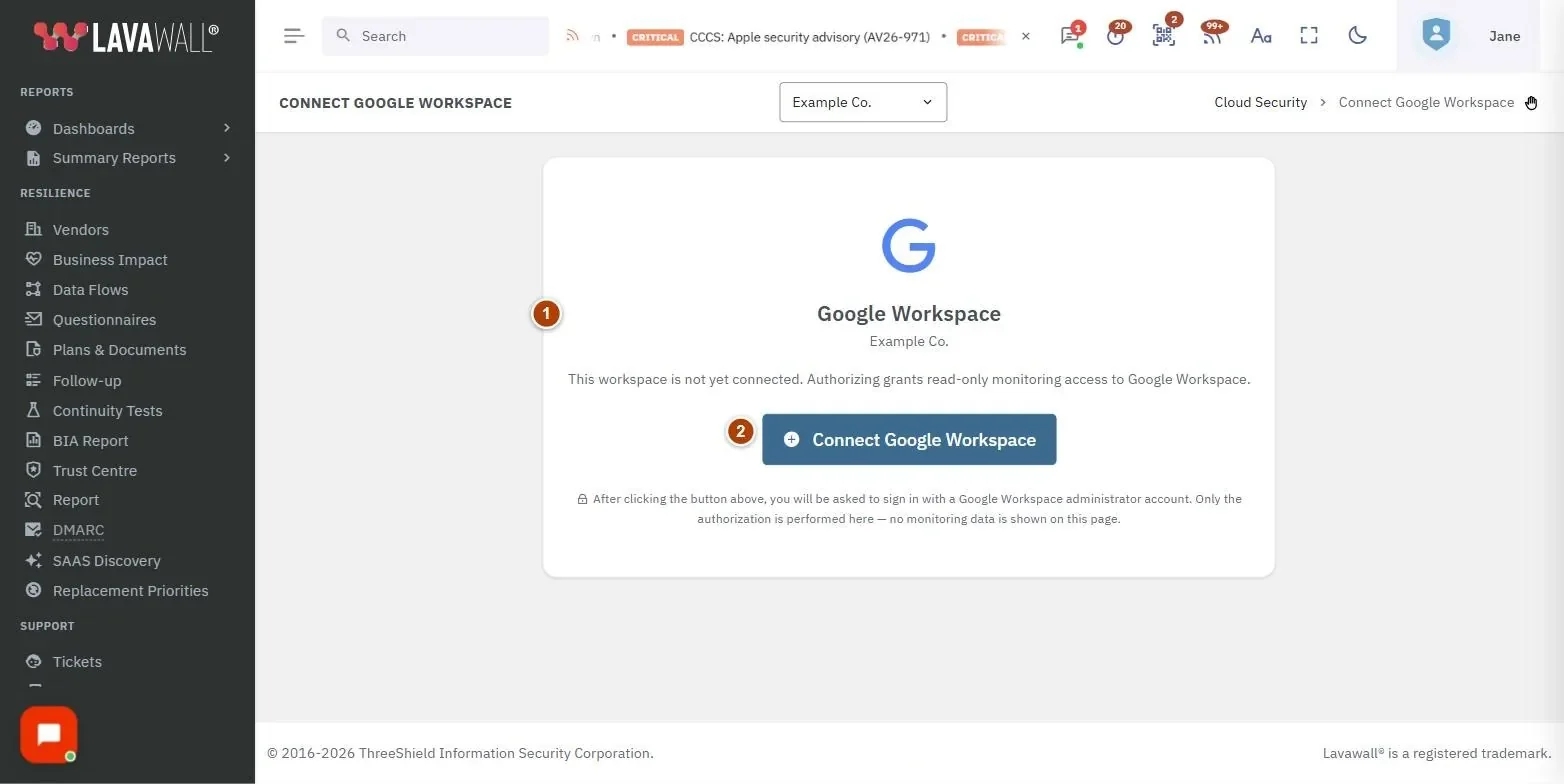
- Company and status: your company name and a Connected badge with the Admin account and Domain, a warning if re-authorization is needed, or a note that the workspace is not yet connected.
- Connect Google Workspace / Re-authorize: starts the Google sign-in. The button reads Re-authorize when the connection is healthy.
How to connect Google Workspace
- Click Connect Google Workspace.
- Sign in with a Google Workspace administrator account.
- Review the permissions Google shows and allow them.
- You are returned to Lavawall and the page shows Connected with the admin account and domain.
How to fix an expired or broken connection
- If the page says the stored Google authorization has expired or been revoked, click Connect Google Workspace.
- Sign in as a Google Workspace administrator and allow the permissions again.
- If the page says the previously connected Google account has been deleted, reconnect using a different, active administrator account.
Tips
- Use an administrator account that will stay active. If that account is deleted or suspended, monitoring stops until you reconnect.
- Re-authorize if Lavawall reports that Google Workspace data has stopped updating.
Troubleshooting
- "The stored Google authorization has expired or been revoked." Re-authorize with a Google Workspace administrator account.
- "The Google account previously connected here has been deleted." Reconnect with a live Google Workspace administrator.
- "This workspace is not yet connected." No Google Workspace has been authorized for this company yet. Click Connect Google Workspace.
- I can't see any Google Workspace data. That is expected with the authorize-only permission.
Task guides that use this page
- Connect Google Workspace and check sharing and apps
- Export a Google Workspace organization to a local drive
Related articles
Still need help?
Search the support centre, or contact our support team and tell us which page you were on.
Names, companies, devices and figures in the pictures are examples. Other product and company names are trademarks of their respective owners.