Elevation Events
A running log of what the elevation agent did on each computer: prompts it intercepted, elevations it granted or denied, ringfence blocks and policy updates.
What the page is for
Every enrolled computer reports its elevation activity back to Lavawall. This page lists those events for the selected company, newest first, so you can answer "what happened on PC-01 this morning?" or check that a new rule bundle reached your computers.
Each event shows when it happened, the device, the event type, the subject (usually the program path), the action taken and the risk score. You can filter to one event type.
What you see
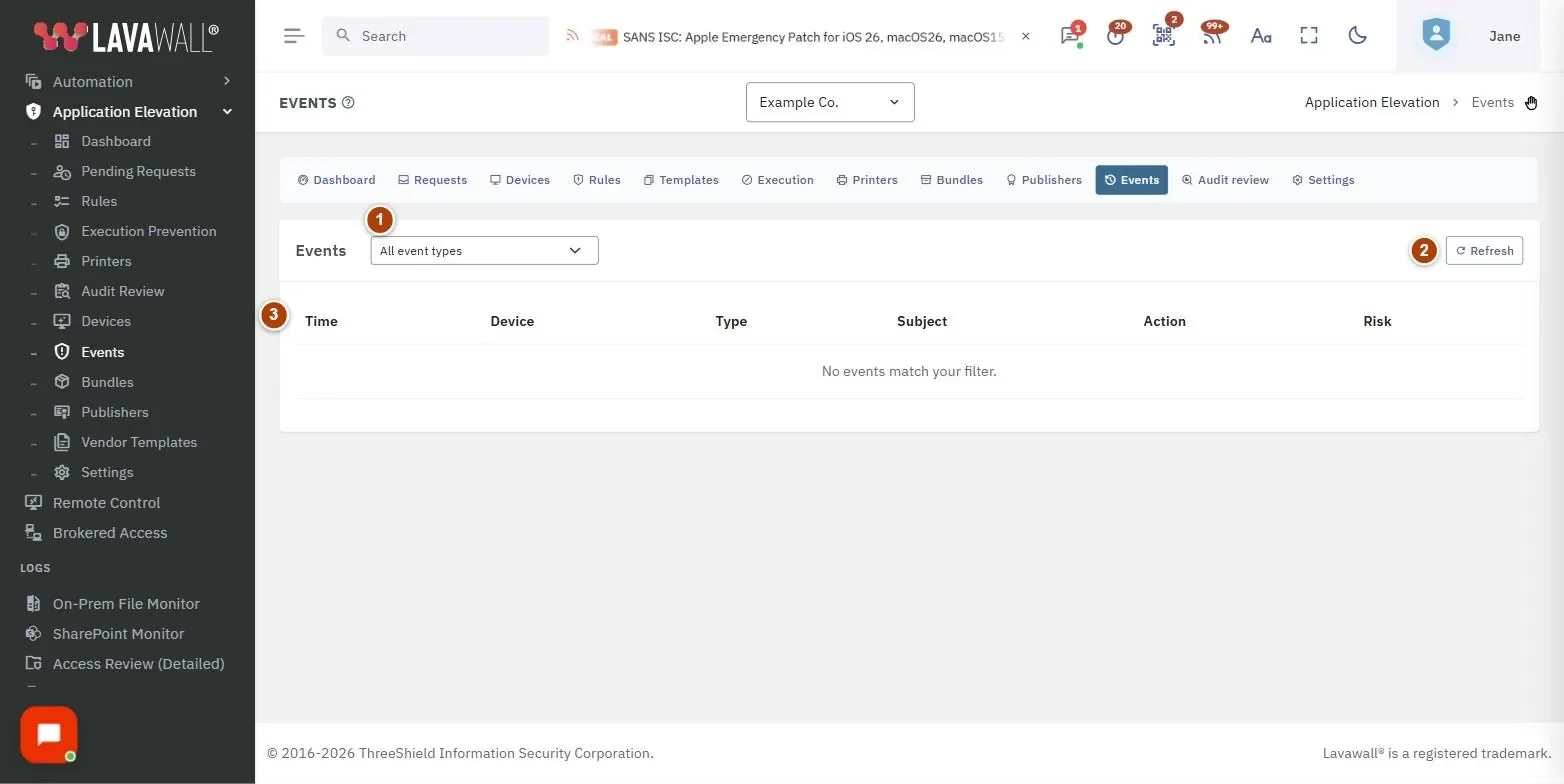
- Event type filter: All event types, UAC interceptions, Elevation granted, Elevation denied, Ringfence blocks, Bundle applied, Capability degraded, Technician hotkey.
- Refresh: reloads the list.
- Events table: Time, Device, Type, Subject, Action and Risk, 50 rows per page, searchable and sortable.
How to use Elevation Events
How to see what was denied
- Choose Elevation denied in the event type filter.
- Use the table search to narrow to one device or program.
How to confirm computers received new rules
- Choose Bundle applied.
- Check that each device shows a recent event after you changed rules or regenerated the bundle.
How to see technician activity
- Choose Technician hotkey to see when users brought up the technician QR code.
- Choose Elevation granted to see what ran as a result.
Tips
- The list is sorted by time, newest first; select a column heading to sort differently.
- Capability degraded events mean a computer could not enforce everything it was asked to, which is worth following up on the Devices page.
- For approvals and denials made by people, Pending Requests has more detail, including who decided and why.
Troubleshooting
- "No events match your filter.": Nothing of that type has been recorded. Choose All event types, or check that devices are enrolled.
- "Application Elevation is not authorized for this company.": Switch the module on first.
Task guides that use this page
Related articles
Still need help?
Search the support centre, or contact our support team and tell us which page you were on.
Names, companies, devices and figures in the pictures are examples. Other product and company names are trademarks of their respective owners.