BIA Report
Produce a polished, auditor-ready business impact assessment report from the information you have already recorded.
What the page is for
Auditors, cyber insurers and regulators often ask for a written business impact assessment. This page assembles one for you, live, from your processes, dependencies, vendors, data flows and continuity tests. There is nothing to fill in here: if something is wrong or missing, fix it on the page where it was recorded and reload the report.
The report opens with an executive summary (how many processes, vendors and data flows are documented, the tightest recovery objective, how many continuity tests are on record and how many gaps need attention). It then covers business processes and recovery objectives, impact over time, critical dependencies and single points of failure, critical and high-risk vendors, data flows and foreign processing, continuity testing, gaps and recommendations, and a methodology and sign-off section.
You can print the report or save it as a PDF from your browser, or download a PDF built by Lavawall, which looks the same whichever browser you use.
What you see
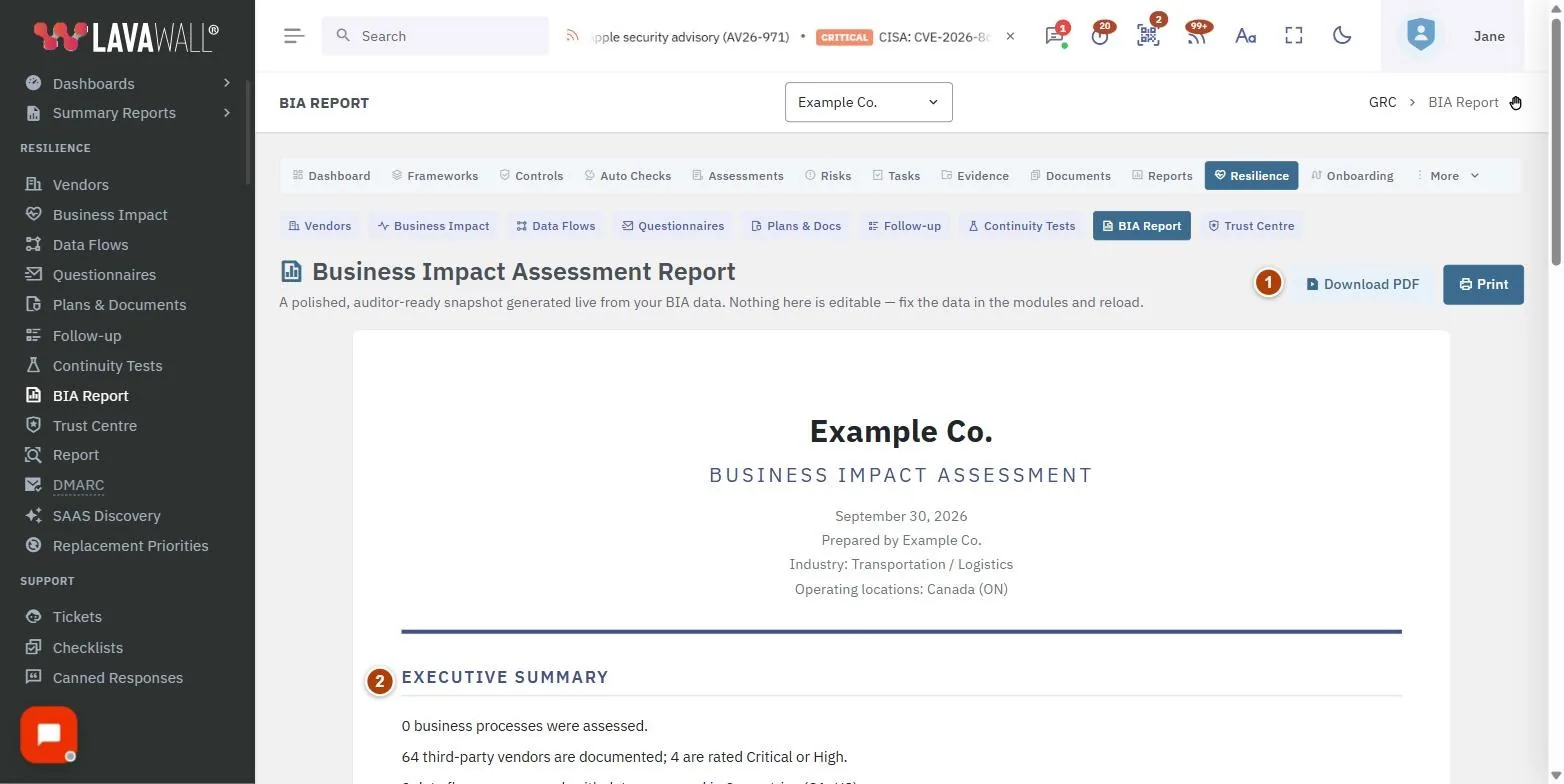
- Toolbar: Download PDF and Print.
- Report header and executive summary: company, industry, operating locations, who prepared it, and a plain-language summary of the assessment.
- Business Processes & Recovery Objectives: each process with criticality, RTO, RPO, MTD, owner and workaround, followed by impact after 1 hour, 1 day and 1 week, and the dependencies of important processes with single points of failure flagged.
- Critical & High-Risk Vendors and Data Flows & Foreign Processing: the vendors rated Critical or High, each data flow with its protection, and the countries data is processed in.
- Continuity Testing: the last test per process, its outcome, target and actual recovery time, and the next due date, with NEVER TESTED, RTO MISSED and OVERDUE flags.
- Gaps & Recommendations and Methodology & Sign-off: what still needs attention, how the assessment was assembled, and lines for Prepared by, Reviewed by and Date.
How to download the report as a PDF
- Open BIA Report.
- Select Download PDF. Lavawall builds the PDF and your browser downloads it.
How to print the report
- Select Print.
- In your browser's print dialog, choose a printer or Save as PDF. Only the report prints; the console menus are left out.
How to fix something in the report
- Note the section that is wrong or incomplete.
- Go to the page where that information is recorded: Business Impact Assessment for processes and dependencies, Vendor Inventory for vendors, Data Flows for flows and countries, or Continuity Tests for tests.
- Make the change, then return to BIA Report and reload the page.
Tips
- Work through the Follow-up page before you send the report. The gaps it lists are the same kind of gaps this report calls out.
- Until plans are tested, the report points out that recovery objectives are targets, not demonstrated capabilities. Record at least one test per mission-critical process.
- The impact colours run from None to Critical. The report explains that Severe means serious financial, client or legal harm and Critical threatens the business.
- The report shows the date it was generated, so the printed version reflects the assessment as of that day.
Troubleshooting
- "No Business Impact Assessment data has been recorded yet." Start with Vendor Inventory, Business Impact Assessment and Data Flows. The report fills itself in as the assessment progresses.
- I don't see the Download PDF button. Your compliance role does not include export permission. Use Print and save as PDF, or ask an administrator.
- "No vendors are currently rated Critical or High." No vendor has that rating yet. Set vendor criticality on Vendor Inventory.
- "Your GRC role does not include viewing this report." Ask an administrator to change your compliance role.
Task guides that use this page
Related articles
Still need help?
Search the support centre, or contact our support team and tell us which page you were on.
Names, companies, devices and figures in the pictures are examples. Other product and company names are trademarks of their respective owners.